lans.cloud Tools

Chore Chart Generator

Free chore chart generator with automatic weekly rotation: enter the kids and the chores, print a themed chart for the fridge plus the schedule that proves whose turn it is. No accounts, nothing leaves your browser.

Was this tool helpful?
Support this site

More tools

How to make a rotating chore chart for your family

Five steps to a printable chart where the fairness is built in — and provable, when someone claims they always get the bins.

  1. Name the chart and pick a theme

    Give it a title the family will recognise on the fridge, then choose a theme — the ornament and colours carry through to the printed sheet, so pick one the kids will not be embarrassed by.

  2. List the kids and the chores

    Type one name per line in the Kids box and one job per line in the Chores box. The counters beside each label show how many you have entered and the maximum allowed, so you can see at a glance when a list is full.

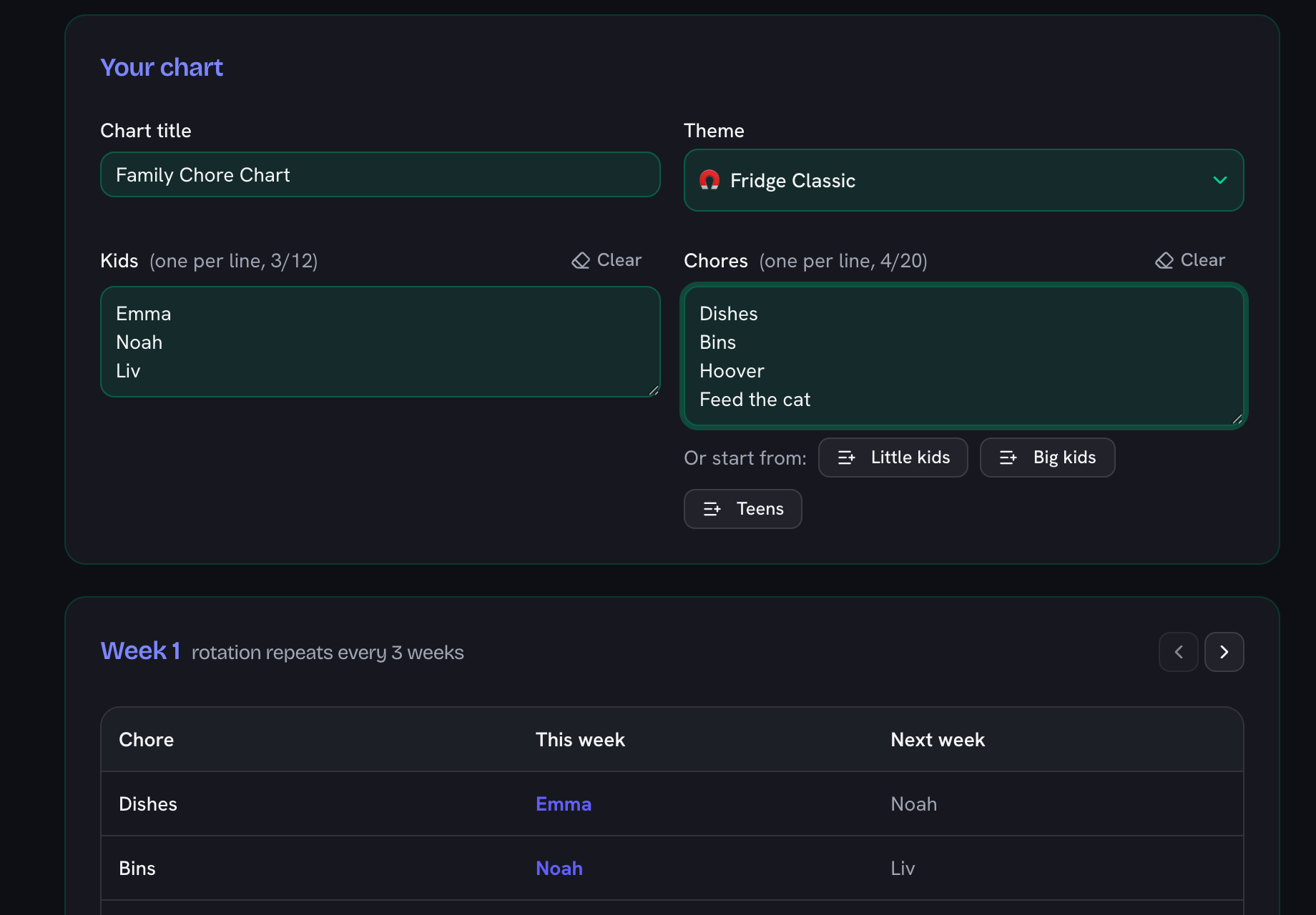
    The chore chart generator with three children listed in one box and four chores in the other, each showing a count against its maximum
  3. Let the rotation do the fairness

    The chart assigns chores automatically and rotates them week by week, so over a full cycle everyone does every job the same number of times. Use the arrows to step through the weeks and see exactly when each turn comes round.

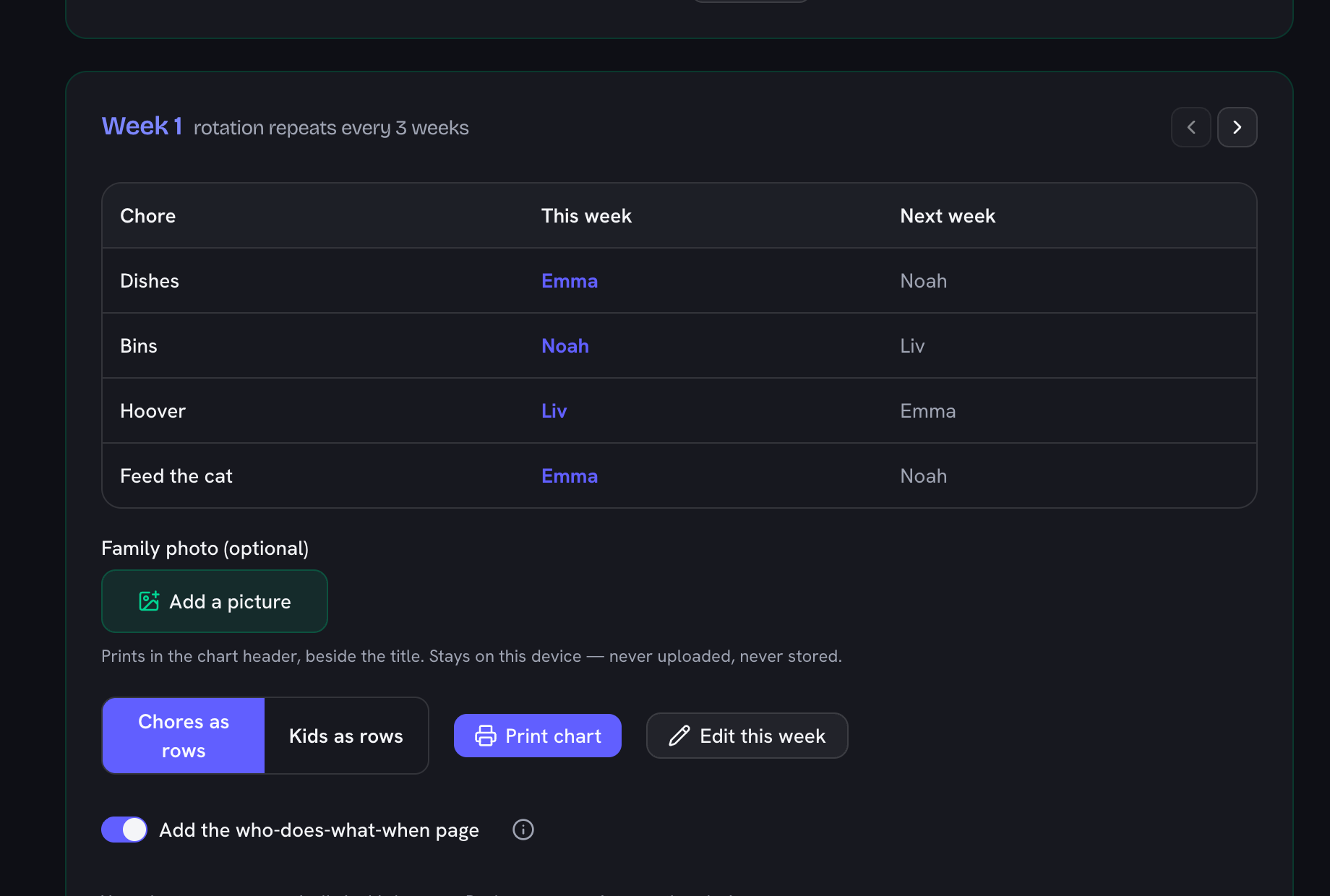
    A generated week of the chore chart showing which child has which job, with a note that the rotation repeats every few weeks
  4. Fix the week by hand where real life gets in the way

    Press "Edit this week" and reassign any cell. With Swap on it becomes a straight trade between two kids, so the week stays balanced. Reset undoes your manual changes and puts the computed rotation back.

  5. Print it for the fridge

    Add a family photo if you want one in the header, choose whether the chart lists chores or kids as the rows, and press "Print chart". Keep the who-does-what-when page switched on and the printout also shows the whole rotation, which settles most arguments before they start.

The problem with every chore chart template

Static chore charts have a shelf life of about two weeks — the week someone realises they’ve had the trash three times in a row while a sibling waters one plant. Templates can’t fix that, because the unfair part isn’t the chart, it’s the standing assignment. This is a rotating chore chart, different in exactly one important way: it rotates. Every week, each chore moves to the next kid, round-robin, and the fairness is mathematical — over one full cycle every kid does every chore exactly once. Nobody negotiates, nobody is “the trash kid”, and the argument ends because the schedule page proves whose turn it is.

Built for the fridge

The printed chart is designed for the place chore charts actually live: one page, big type, a checkbox for every day of the week, and a theme your kids pick (rocket, rainbow, dino, or the classic). A second page prints the whole rotation — a who-does-what grid for the coming weeks — so the answer to “is it my turn?” is always one glance away. That page is on by default, which is why a print run is two sheets unless you switch it off. Laminate it and a whiteboard marker makes it reusable forever. When a new week starts, tap the arrow, print again, done.

Nothing to sign up for, nothing stored anywhere

Like every tool on this site, the whole thing runs in your browser: your kids’ names never leave your device, there is no account, and the chart is saved locally so it’s there next week. It pairs naturally with the classroom jobs chart (the same rotation engine, tuned for a class of thirty) and the QR treasure hunt generator when chore-day needs a bribe at the end.
How long until everyone has done every chore?

Family sizeFull rotationTip
2 kids2 weeksShort cycle — rotate weekly and it stays fresh
3 kids3 weeksShort cycle — rotate weekly and it stays fresh
4 kids4 weeksPrint the schedule page so everyone can see their turn coming
5 kids5 weeksPrint the schedule page so everyone can see their turn coming
6 kids6 weeksPrint the schedule page so everyone can see their turn coming
8 kids8 weeksPrint the schedule page so everyone can see their turn coming

Computed from the tool's own rotation engine: one week per kid, every kid does every chore exactly once per cycle (when chores ≤ kids).

Frequently Asked Questions

How do I make a chore chart that rotates?

Enter the kids (one per line) and the chores, and the generator rotates assignments automatically: each week, every chore moves to the next kid. The math guarantees fairness — over a full cycle, every kid does every chore exactly once and never holds two chores in the same week (when there are at least as many kids as chores). Flip between chores-as-rows and kids-as-rows — in the kids view every child reads their own row. Use the week arrows to step forward, and print the who-does-what-when schedule page so the order is visible on the fridge.

What chores are age-appropriate for my child?

Pediatric guidance (the American Academy of Pediatrics via HealthyChildren.org, and the American Academy of Child & Adolescent Psychiatry) suggests starting around age 2–3 with simple tasks like putting toys away, moving to feeding pets and making beds around 4–5, table-wiping and laundry-sorting around 6–7, and real household responsibility (cooking, laundry loads, bins) for tweens and teens. The preset buttons in the tool follow that ladder — Little kids, Big kids, Teens — and you can edit every line.

Can I print the chore chart?

Yes — one click prints a themed chart sized for the fridge, with a checkbox for every day of the week; the rows follow the view you picked (chores as rows, or one row per kid), plus an optional who-does-what-when page showing the full rotation schedule. Pick a theme (fridge classic, rocket, rainbow, dino), print, and stick it up. Laminate it and use a whiteboard marker to reuse the same sheet all month.

Can I put our family photo on the chore chart?

Yes — add an optional family photo and it prints in the chart header, right beside the title, framed in your chosen theme colour so the fridge chart doubles as a little keepsake. The picture is used only for that printout: it stays on your device, is never uploaded, and is never saved with the chart — pick it again next time you print. Per-kid avatars aren’t supported; it’s one family photo for the whole chart.

Is there a chore chart maker without sign-up?

This one: no account, no email, no app to install. The chart saves automatically in your own browser — nothing is uploaded anywhere — and you can back it up or move it to another device from the site’s data page.

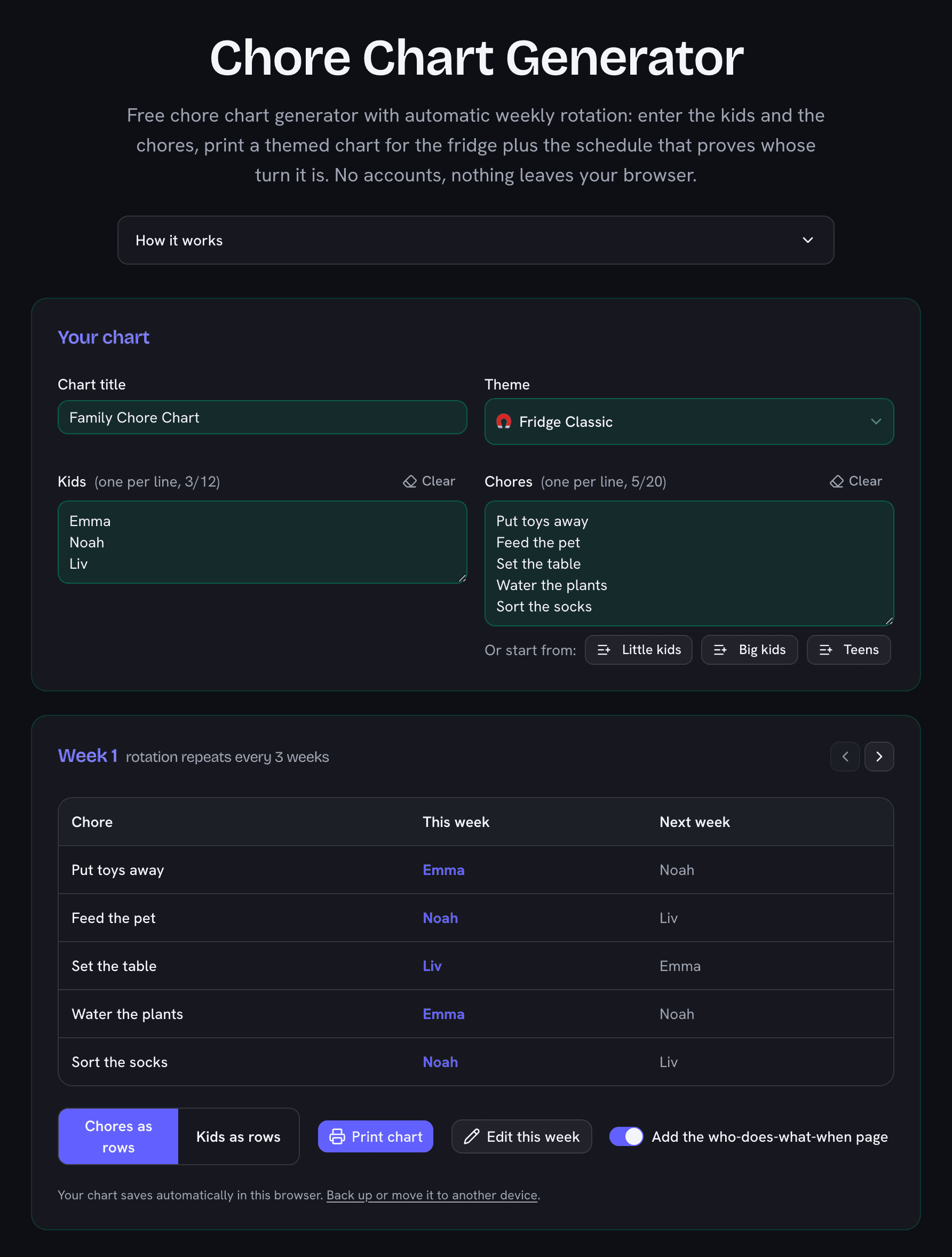
Chore chart generator showing three kids, five chores, the weekly rotation preview and theme picker
Kids in, chores in — the rotation does the fairness. Print a themed chart plus the schedule that proves whose turn it is.