lans.cloud Tools

QR Code Treasure Hunt Generator

Free QR code treasure hunt generator: write a clue per station, add your own picture, print themed cards with QR codes plus a teacher answer sheet, hide them, hunt. The codes contain the clue text itself — no app, no account, works without internet.

Was this tool helpful?
Support this site

More tools

A treasure hunt that runs on paper and a phone camera

The classic QR code treasure hunt: players find a card, scan it, read the clue, and race to the next hiding spot. This generator handles the boring part — you type the clues, it produces print-ready station cards (up to 20 stations) in one of four themes, plus an answer sheet so you remember where everything is hidden. It works just as well for a classroom review activity, a rainy-day QR code scavenger hunt for the classroom, or a birthday treasure hunt at home — write the clues, press print, hide the cards.

Why these codes never break: no links inside

Most QR hunt tools encode a link, which means the hunt depends on their server, their business model, and the school Wi-Fi. Here the QR code contains the clue text itself (up to 300 characters) — a phone camera shows the words directly, offline, with nothing stored anywhere. Your clues never leave this browser: the hunt you build is saved locally on your device, and the printed cards are the entire product. For a class of younger kids, that also means no risk of a scanned code opening a browser to somewhere unexpected — there is nothing to open.

Writing clues that work

The pattern that never fails: each clue describes the hiding place of the next card. Keep clue one easy to build momentum, make the middle ones rhyme or pun for older kids, and let the final message celebrate (“the treasure is where we keep the towels!”). Print the codes at their natural size — each card prints its QR at roughly five centimetres, which phones scan comfortably from arm’s length. If you laminate the cards, they survive an outdoor hunt and can be reused every year. Pair it with printable puzzle cards from the escape room cipher generator to turn a simple hunt into a full escape-room afternoon.
How much text fits in a QR code? (byte mode, error correction M)

QR versionGrid sizeMaximum textIn practice
Version 121 × 2114 charactersA short sentence
Version 225 × 2526 charactersA short sentence
Version 329 × 2942 charactersA short sentence
Version 433 × 3362 charactersA one-line riddle
Version 537 × 3784 charactersA one-line riddle
Version 745 × 45122 charactersA one-line riddle
Version 1057 × 57213 charactersA full multi-sentence clue

Probed from this tool's own QR encoder at build time — the same library that generates your cards, so these numbers are exactly what prints.

How to make a QR code treasure hunt

Turn a set of clues into printable QR station cards that work offline.

  1. Write one clue per station

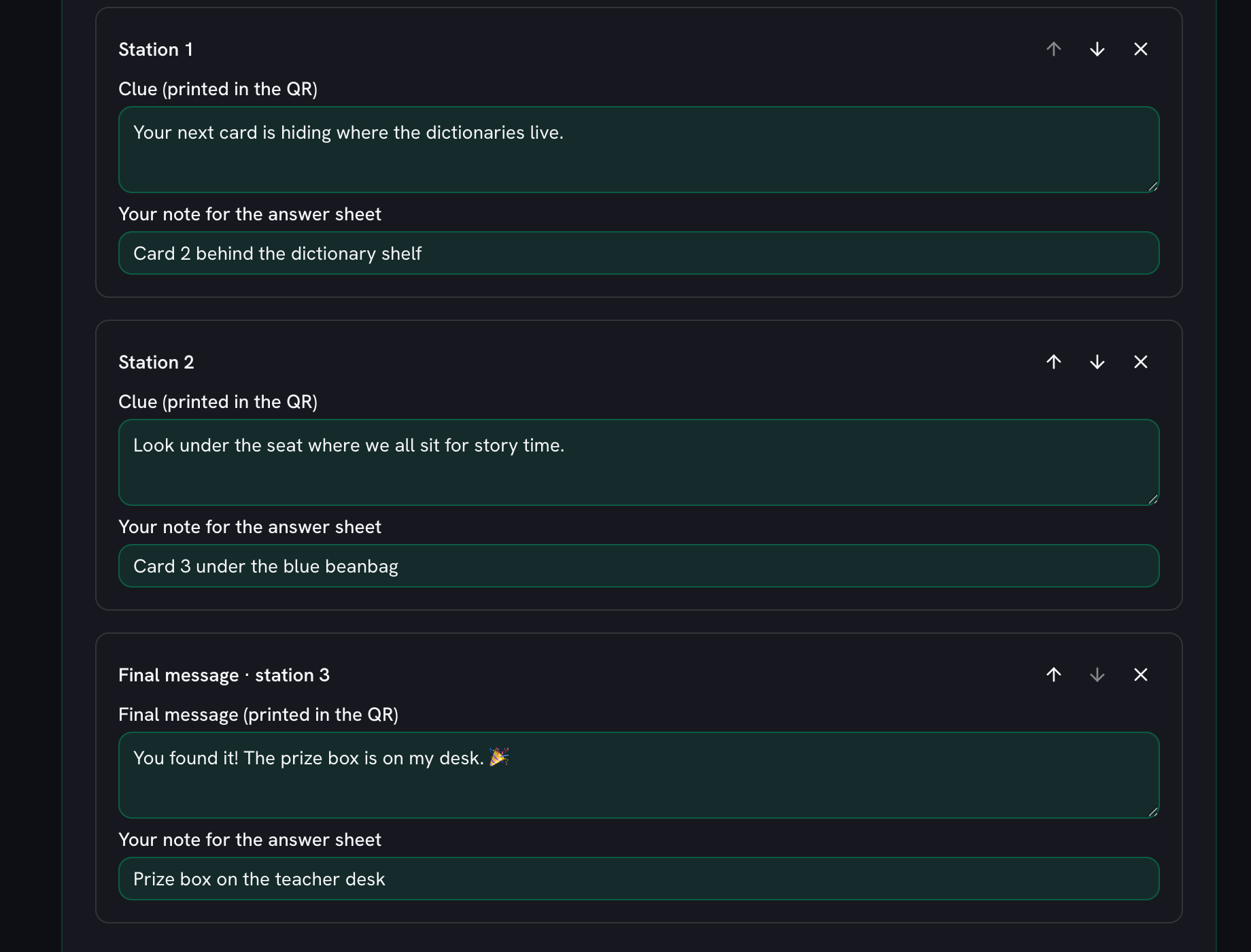
    Type each clue so it describes where the next card is hidden, and use the note under it to remind yourself where that card actually goes. The final clue is the victory message that leads to the treasure.

    Three station cards filled in for a classroom hunt: a clue about where the dictionaries live, one about the story-time seat, and a final message pointing at the prize box, each with its own hiding note
  2. Pick a card theme

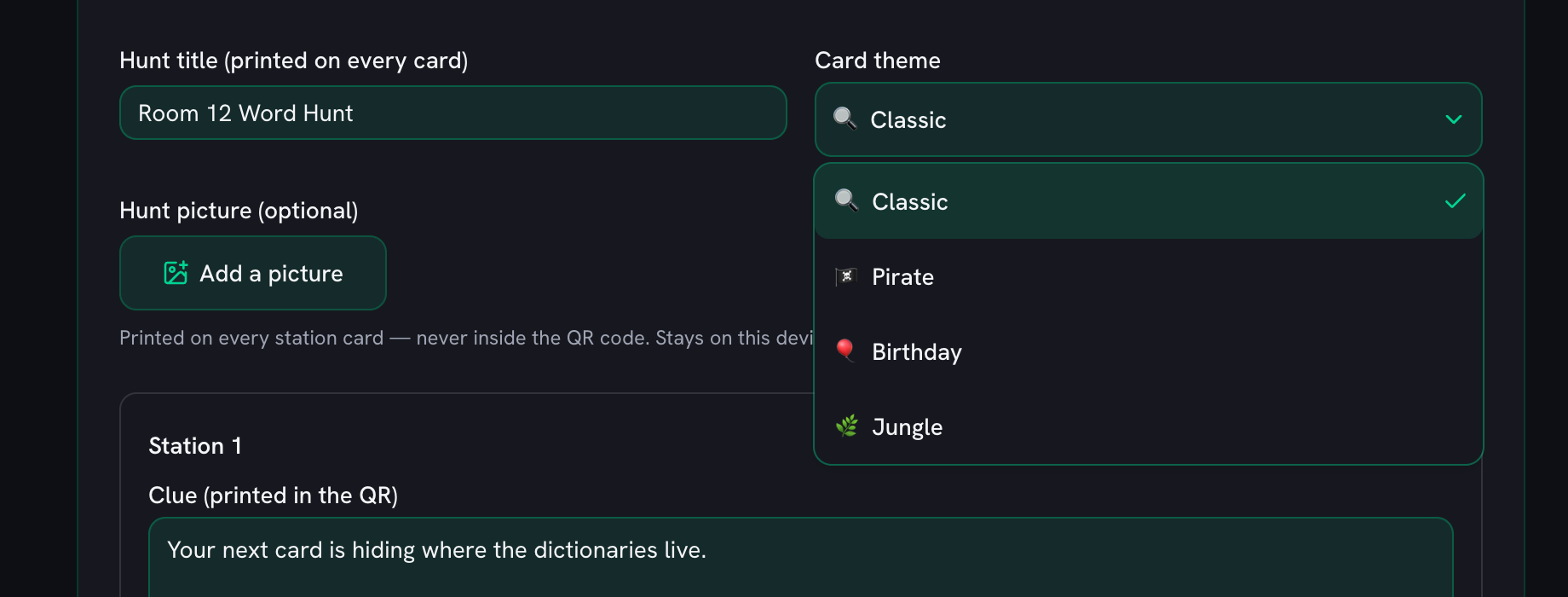
    Choose one of the four card themes so the printed station cards match the occasion — a classroom review, a party, or a birthday hunt at home.

    The Card theme dropdown open beside the hunt title, offering Classic (ticked), Pirate, Birthday and Jungle
  3. Print the cards and answer sheet

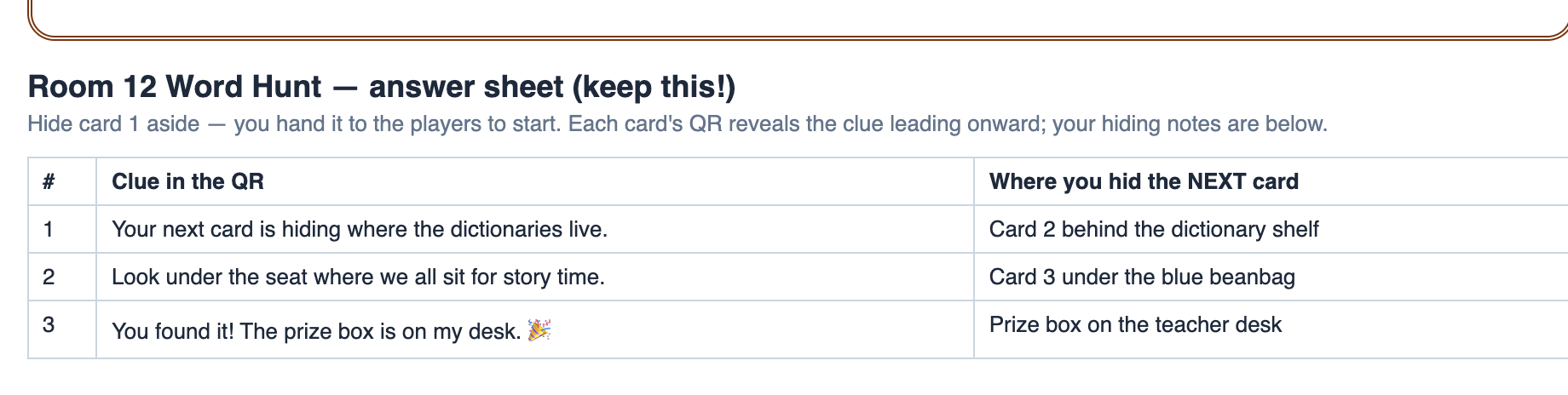
    Print produces one QR card per station plus a teacher answer sheet listing every clue and your hiding notes, so you always know where each card goes.

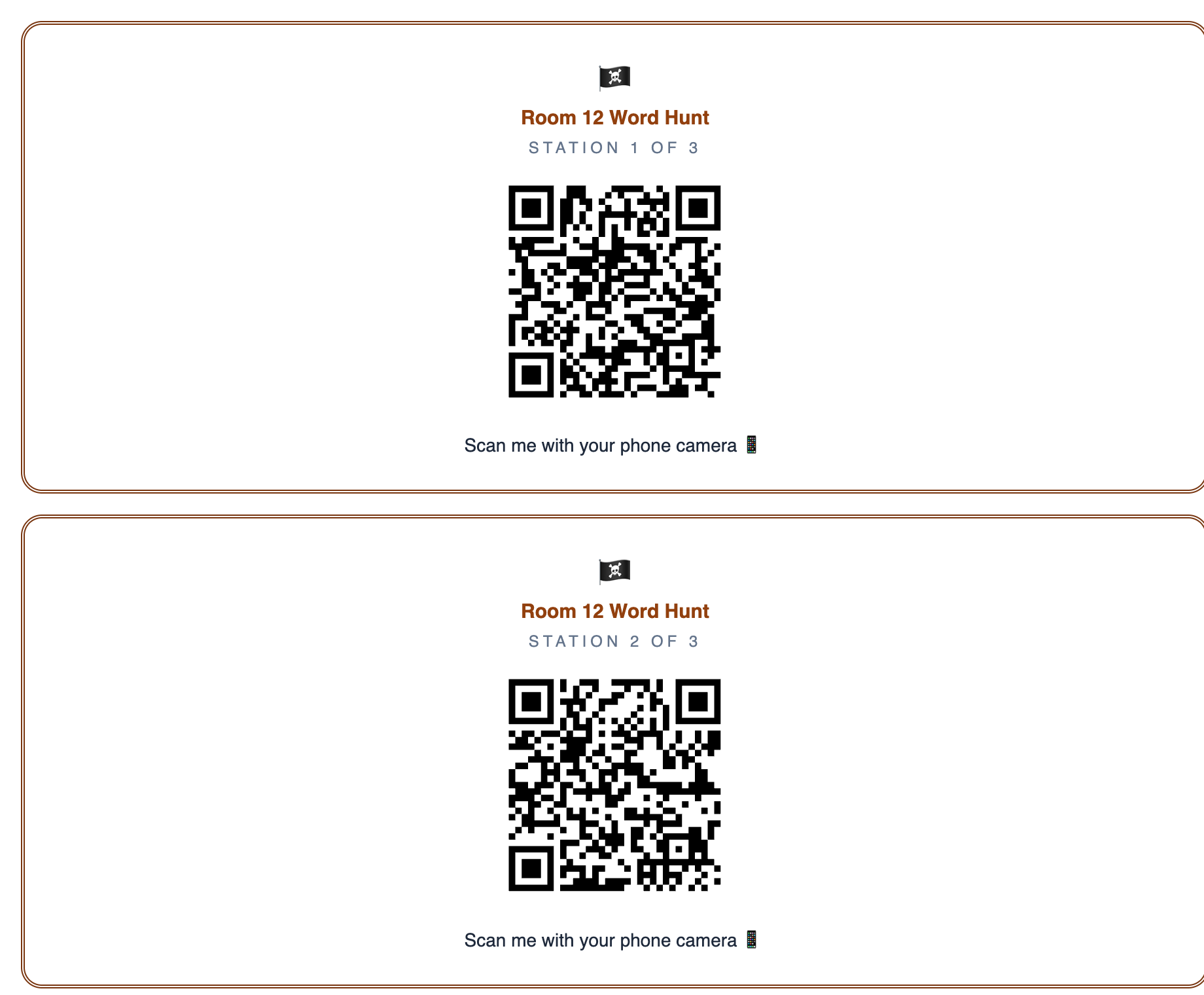
    The printout: two pirate-themed cards, each headed Room 12 Word Hunt with Station 1 of 3 and Station 2 of 3, a large QR code and the line Scan me with your phone camera
  4. Hide the cards

    Hand card 1 to the players and hide each remaining card at the spot the previous clue points to, working the chain backwards to the finish. The answer sheet is the page that tells you which is which.

    The answer sheet page of the printout: a table of all three clues beside the note saying where the next card was hidden, under a reminder to keep this sheet
  5. Scan and hunt

    Players scan a card with any phone camera and the clue text appears on screen — no app and no internet, because the words are encoded in the code itself.

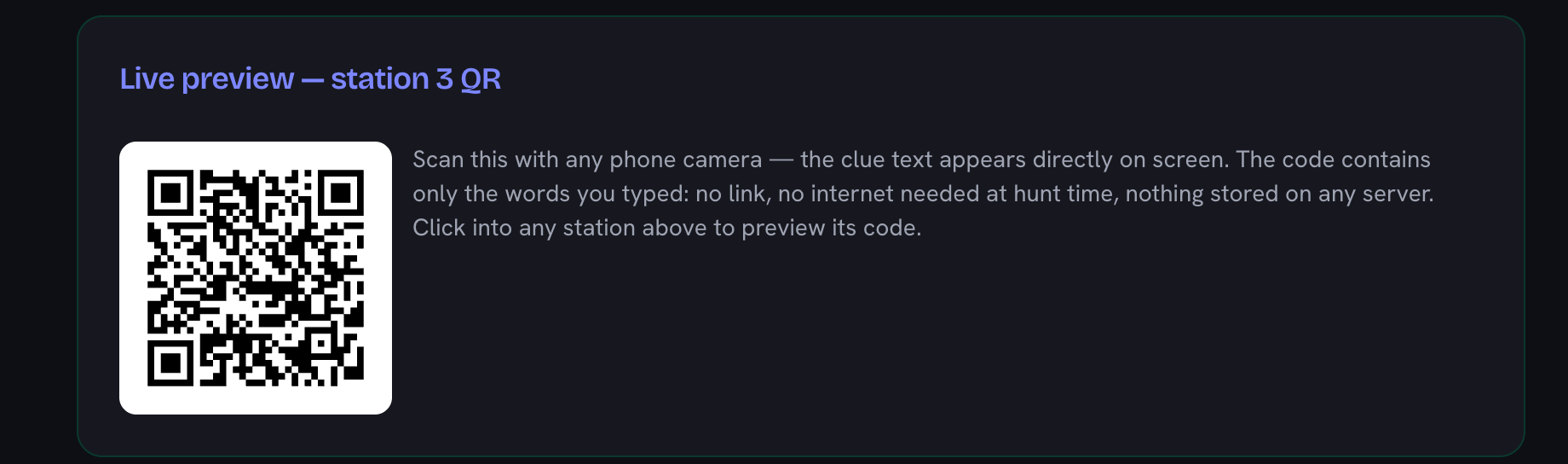
    The live preview panel showing station 3’s QR code beside a note that the code contains only the words you typed, with no link and nothing stored on a server

Frequently Asked Questions

How do I make a QR code treasure hunt for free?

Write one clue per station in the generator (each clue is the riddle that leads players to the next hiding place, and the last one is the victory message), pick a card theme, and print. You get one card per station plus a teacher answer sheet listing every clue and your hiding notes. Hand card 1 to the players, hide the rest where the previous clue leads, and start the hunt. No account, no app, completely free.

Do the QR codes work without internet?

Yes — and that is the main difference from other generators. Each QR code contains the clue text itself, not a link to a website. A phone camera decodes the words directly on screen, so the hunt works in a school basement, a forest, or anywhere else with zero connectivity, and it will still work years from now because there is no server that could shut down.

Can you do a QR scavenger hunt without an app?

Yes. Every modern phone camera (iPhone and Android) scans QR codes natively — point the camera at the card and the clue text pops up. Players need no app, no account, and nothing installed; teachers need only a printer.

Can I add my own picture to the treasure hunt cards?

Yes — add a photo (the birthday kid, a team mascot, the treasure itself) and it prints on every station card next to the hunt title. The picture is shrunk and used entirely in your browser: it is never uploaded and never stored, and it is never encoded into the QR codes, so the clues scan exactly the same with or without it.

How much text fits in a QR code?

It depends on the QR version (the grid size) — the reference table on this page is generated from the exact encoder this tool uses. As a practical guide, a 57×57 code holds about 200 characters, which is why clues here are capped at 300 characters: the printed codes stay big-boxed and easy to scan from a distance.

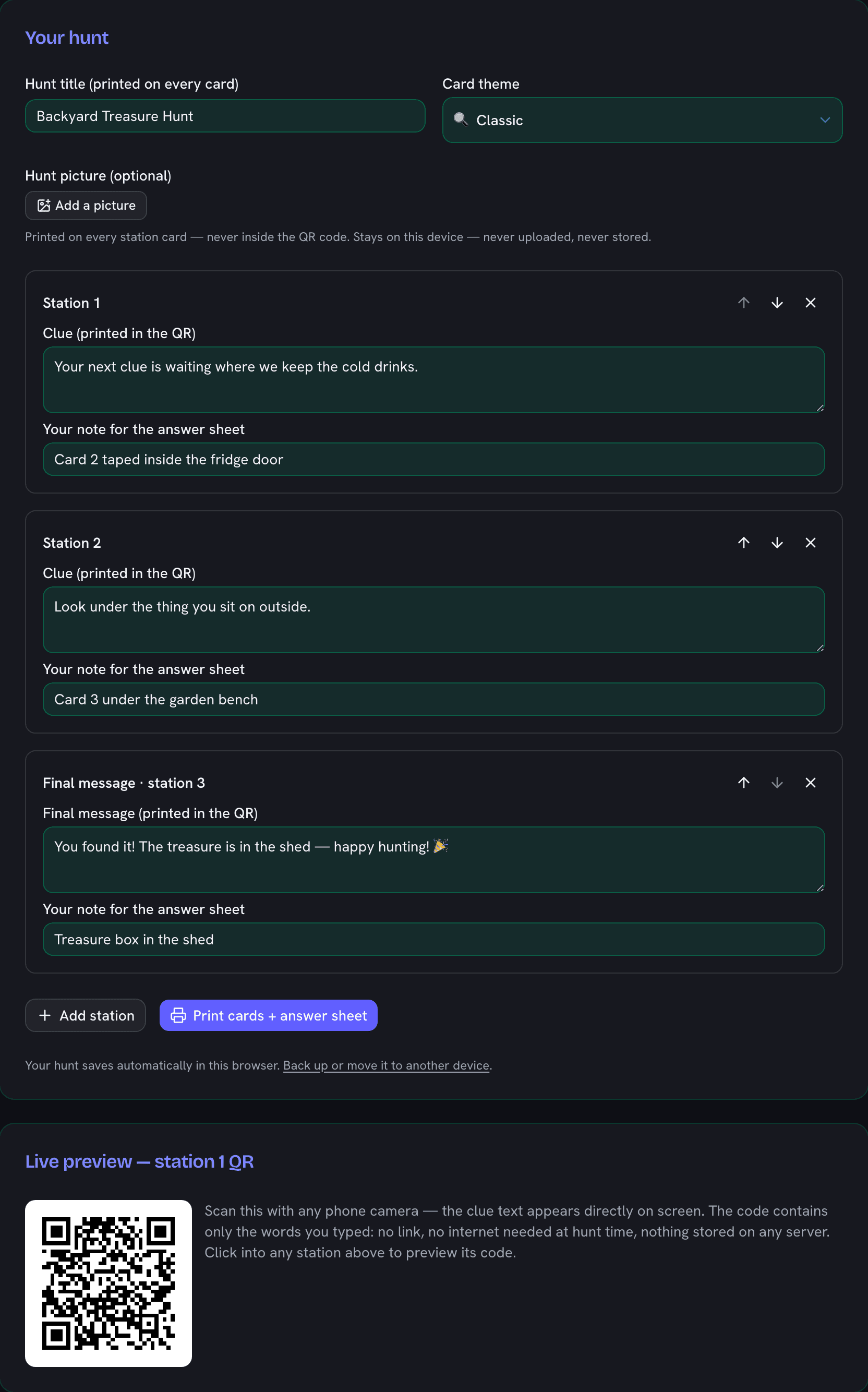
QR code treasure hunt generator showing three stations with clues, a card theme picker, and a live QR code preview of a clue
Write a clue per station, watch its QR build live, then print themed cards plus the teacher answer sheet.