lans.cloud

Classroom Screen

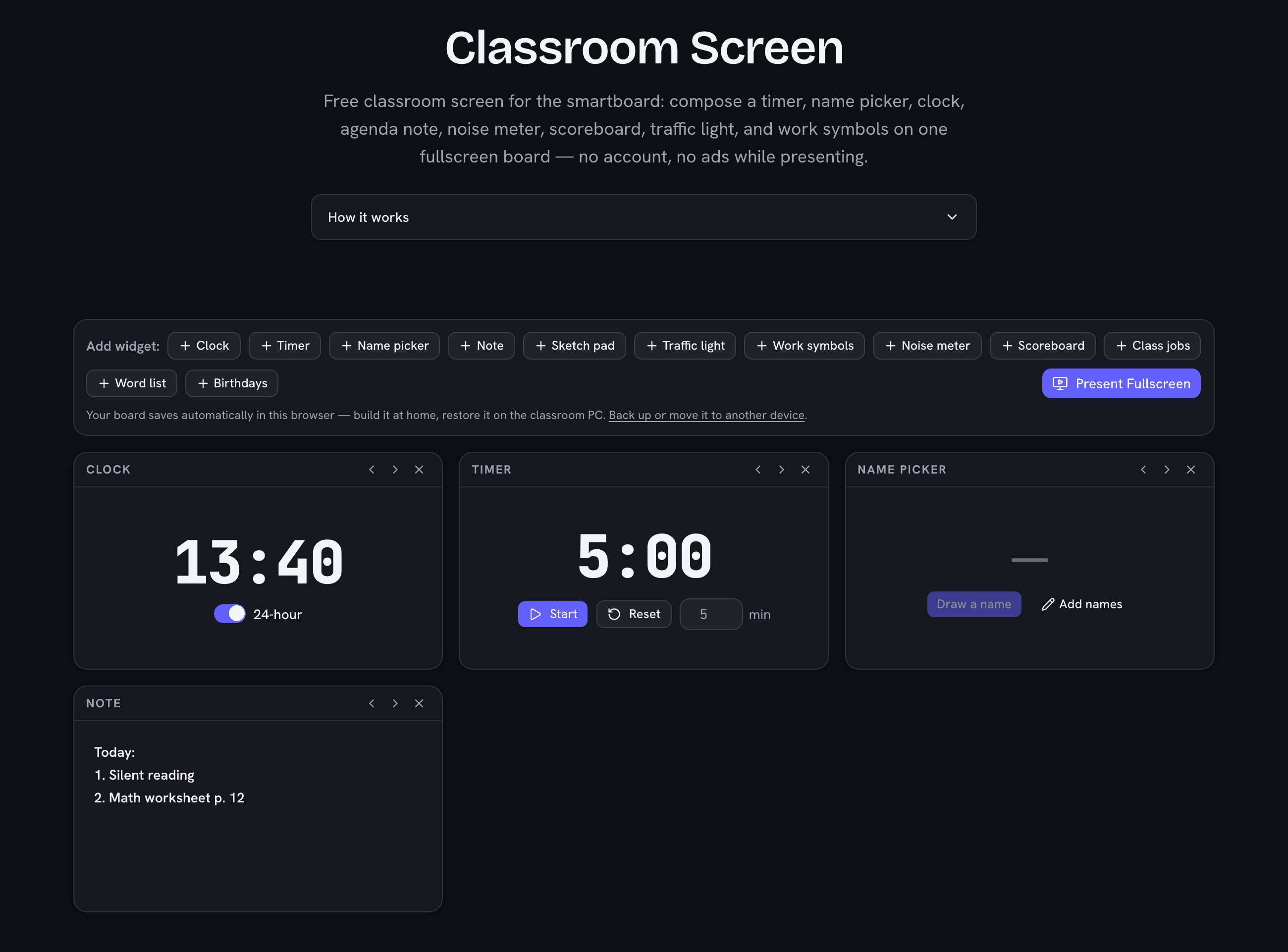
Free classroom screen for the smartboard: compose a timer, name picker, clock, agenda note, noise meter, scoreboard, traffic light, and work symbols on one fullscreen board — no account, no ads while presenting.

Was this tool helpful?
Support this site

One Board Instead of Five Tabs

Every teacher knows the juggle: a timer in one tab, a name picker in another, the agenda on a sticky note, and the class watching you alt-tab. A classroom screen puts them side by side — build the board once, press Present Fullscreen, and the projector shows everything the lesson needs at a glance. The board remembers itself, so tomorrow morning it's one click from ready.

The privacy story matters here more than anywhere: class lists, notes, and layouts stay in your browser's own storage. There is no account to create and no server that ever sees a student's name — the same rule as every tool on this site.
The Widgets

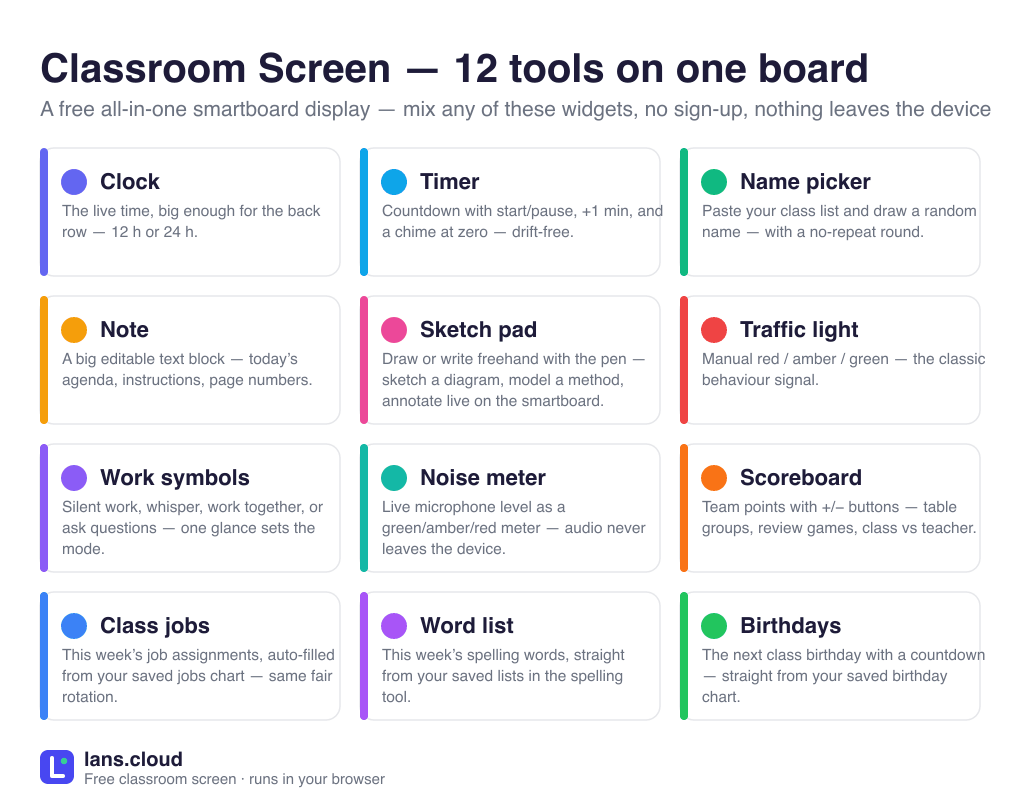
Widgets on the board (up to 12 at once)

WidgetWhat it does
ClockThe live time, big enough for the back row — 12 h or 24 h.
TimerCountdown with start/pause, +1 min, and a chime at zero — drift-free.
Name pickerPaste your class list and draw a random name — with a no-repeat round.
NoteA big editable text block — today’s agenda, instructions, page numbers.
Traffic lightManual red / amber / green — the classic behaviour signal.
Work symbolsSilent work, whisper, work together, or ask questions — one glance sets the mode.
Noise meterLive microphone level as a green/amber/red meter — audio never leaves the device.
ScoreboardTeam points with +/− buttons — table groups, review games, class vs teacher.

Rendered from the same registry the board runs on. Need more depth? Every widget links to a full standalone tool below.

When to Use the Big Tools Instead

The board's widgets are deliberately compact. When one job needs the whole screen, the standalone tools go deeper: the classroom timer with its giant progress ring, the seating chart generator with keep-apart rules and printing, the noise meter with tunable zone thresholds and a red-alert counter, the classroom scoreboard with team colors and saved rosters, and the name picker wheel with its spin animation. The board is the dashboard; those are the power tools.

Frequently Asked Questions

Is there a free alternative to Classroomscreen?

This is one: the same one-board idea — several teaching widgets visible at once on the projector — but free with no account, no locked Pro features, and no saving limits. Your board layout and class lists live in your own browser (nothing is uploaded), and presentation mode is completely ad-free. If you outgrow it, our standalone tools (full classroom timer, seating chart generator, noise meter) go deeper than any widget.

Can I show a timer and pick names at the same time?

Yes — that is the whole point of the board. Add both widgets (plus a clock, today’s agenda, a traffic light, or work symbols), arrange them with the move arrows, and Present Fullscreen. Everything runs simultaneously: the timer counts down and chimes while the name picker draws without repeats.

Does it save my board and class list?

Yes, in your own browser: the widgets you added, their order, the timer length, your class list, and today’s note are all there when you come back tomorrow. Nothing is stored on a server — which also means a different device starts fresh.

Do I need an account?

No. No account, no sign-up, no Pro tier — every widget and every feature works for everyone, always. The site is ad-supported, but ads never appear in the fullscreen presentation view a class actually sees.

Does the noise meter widget record the class?

No. The noise meter asks for microphone access, reduces the audio to a single loudness number per frame right in your browser, and immediately discards the samples — nothing is recorded, stored, or uploaded. It shows a green / amber / red level so the class can self-check their volume; the standalone classroom noise meter adds tunable thresholds and a red-alert counter.

What do the work symbols mean?

They are the classic noise-level signals: 🤫 silent work, 👂 whisper voices, 🧑‍🤝‍🧑 work together, 🙋 questions welcome. Set the symbol once and the class self-checks against the board instead of asking — pair it with the traffic light for behaviour and the timer for the deadline.