lans.cloud

Classroom Birthday Chart Generator

Free classroom birthday chart generator: enter names with month and day (never a birth year), get a month-by-month wall chart with the next birthday highlighted — printable in one click. No sign-up.

Was this tool helpful?
Support this site

A Birthday Chart You Type Once, Not Cut Out

Search for a classroom birthday chart and you'll find printables: cupcake templates, balloon borders, blank month grids to fill in by hand — redone from scratch every September, and never quite readable from the back of the room. This generator replaces the handwriting step: enter each student's name with their birth month and day, and the chart assembles itself, month by month, sorted by date, with a “next up” banner so nobody's day slips past unnoticed.

It's built for how teachers actually use birthday displays. The print sheet is deliberately high-contrast and decoration-light, so it stays legible on a wall — dress it up with your own borders if you like. The on-screen version does what paper can't: it counts down to the next birthday, highlights the months with birthdays coming in the next 30 days, and updates the moment a new student joins mid-year — no white-out required.

No Birth Years, By Design

The form only accepts a month and a day. A wall chart never needs more, and a class list that omits years can't leak a student's age or full date of birth. Like every tool on this site, the data stays in your browser — there is no account, no upload, and no server copy of your roster.

The Summer Birthday Problem, Solved With Math

Every class has students whose birthdays land in July or August — school's out, and they miss the celebration year after year. The standard classroom fix is the half-birthday: celebrate exactly six months on, when everyone's in the room. The table below maps each month to its half-birthday month; it's computed by the same logic the chart runs on.
Half-birthday months for summer (and any) birthdays

Birthday monthHalf-birthday month
JanuaryJuly
FebruaryAugust
MarchSeptember
AprilOctober
MayNovember
JuneDecember
JulyJanuary
AugustFebruary
SeptemberMarch
OctoberApril
NovemberMay
DecemberJune

Exactly six months on — a July 14th birthday celebrates January 14th. Applying it twice lands back on the real month.

Frequently Asked Questions

How do I make a birthday chart for my classroom?

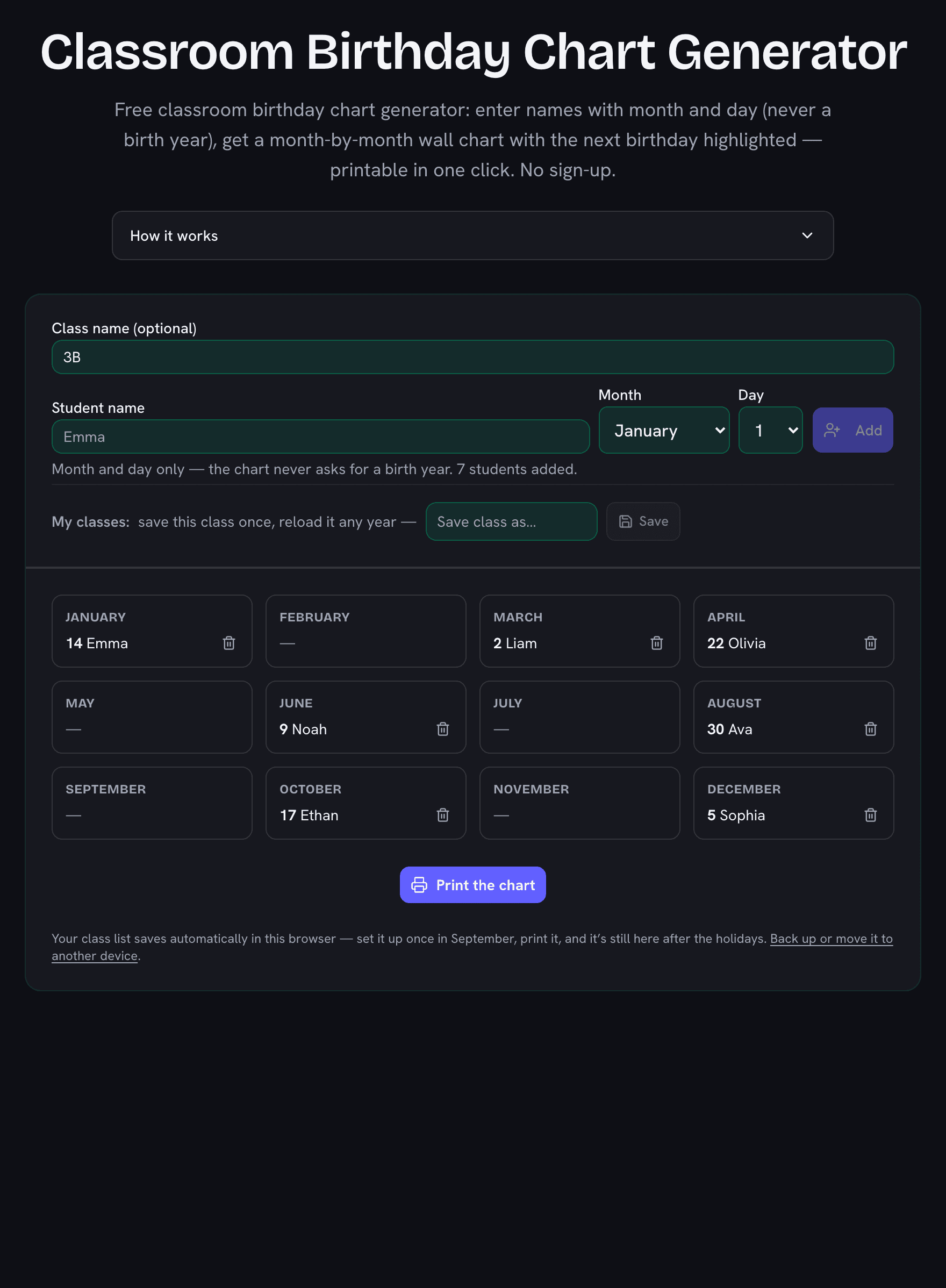
Add each student with their birth month and day (takes a few minutes for a full class), and the chart builds itself: twelve month panels with every birthday sorted by date, plus a banner showing whose birthday is next. Click "Print the chart" for a wall-ready sheet, or keep the page open — your class saves automatically in your browser.

Do I need to enter students’ birth years?

No, and you can’t — the generator only asks for month and day. A birthday wall chart never needs a year, and leaving it out means the chart can’t reveal a student’s age or full date of birth. Everything stays in your browser; nothing is uploaded anywhere.

What do teachers do about summer birthdays?

The classic answer is half-birthdays: a July 14th child celebrates on January 14th, when school is in session. The table on this page maps every month to its half-birthday month — exactly six months on. Some classes instead celebrate all summer birthdays together in the last school week; the chart supports either habit, since summer months stay visible on the printout.

What about February 29 birthdays?

Leap-day students are on the chart like everyone else. In years without a February 29, the "next birthday" countdown celebrates them on February 28 — a day early rather than skipped, which is the kind rule for a classroom.

Can I print the birthday chart?

Yes — one click opens a print-ready sheet: all twelve months in a grid with names and days, headed by your class name. It prints on a single page for a typical class and works as a wall display, a substitute-teacher reference, or a parent-night handout.

Can I save more than one class?

Yes — name each class ("3B", "Homeroom 2027") and save it. Lists live in your browser’s storage, so next September you can load last year’s class as a starting point or keep several class groups going at once. Nothing requires an account.

Classroom birthday chart generator showing Class 3B with seven students grouped into twelve month panels and a one-click print button
Type the class once: every month panel fills itself, sorted by date, with printing one click away.