lans.cloud

Exam Clock

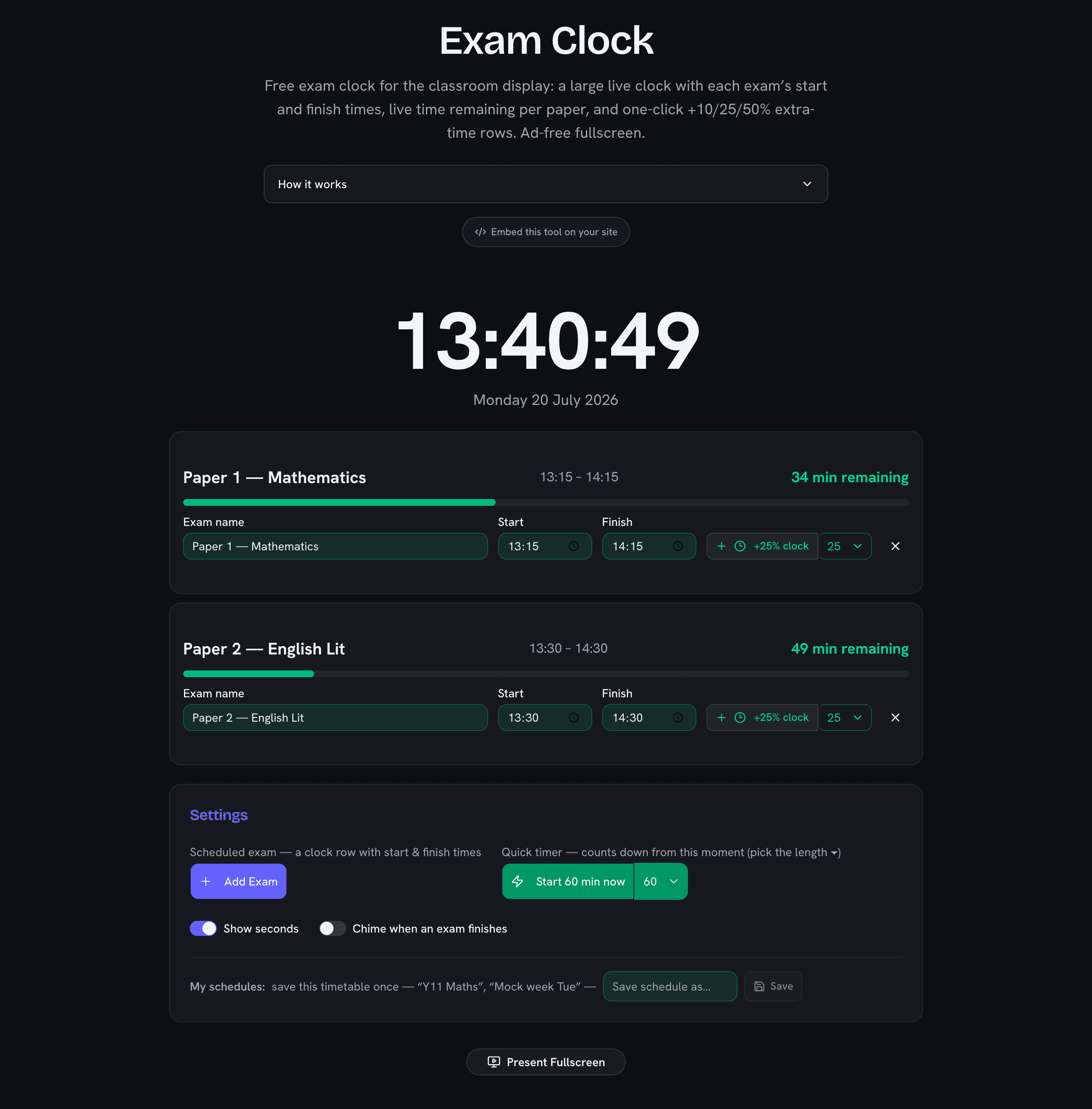
Free exam clock for the classroom display: a large live clock with each exam’s start and finish times, live time remaining per paper, and one-click 25% extra-time rows. Ad-free fullscreen.

The Wall Display Invigilators Actually Need

An exam room needs three things on the board: the correct time, when each paper started, and when it finishes. Writing them in marker works until the second paper starts at a staggered time, someone has extra time, and the room clock disagrees with the corridor clock. This display keeps it all in one place: a large live clock, a row per exam with its times, a live countdown that turns red for the final five minutes, and a one-click row for 25% extra time. Set it up before candidates enter, go fullscreen, done.
Extra Time, Precomputed

Standard 25% extra time by paper length

PaperWith 25% extraAdded
45 min57 min+12 min
60 min75 min+15 min
75 min94 min+19 min
90 min113 min+23 min
105 min132 min+27 min
120 min150 min+30 min
150 min188 min+38 min
180 min225 min+45 min

Computed by the same rule the +25% button applies — durations round up to the whole minute so no candidate loses seconds.

Beyond Exam Halls

The same layout works anywhere a room shares deadlines: mock exams and timed essays, university take-home slots, standardized-test practice at home, even cooking multiple dishes with different finish times. For activity countdowns that don't need clock time — rotations, quizzes, brain breaks — the classroom timer is the better fit, and the reading fluency timer covers one-minute probes.

Frequently Asked Questions

How do I display an exam clock in my classroom?

Add each exam with its start and finish time, click Present Fullscreen, and put it on the projector or whiteboard: a large live clock on top, each exam’s times and live countdown below. No ads appear in the fullscreen display, and it keeps running offline once loaded.

What has to be visible to candidates during an exam?

Exam-board regulations (such as JCQ in the UK) require a clock every candidate can see, plus the start and finish time of each exam displayed prominently — exactly the layout this tool shows. Always follow your own board’s current instructions.

How does the 25% extra time button work?

It adds a second row with the same start time and the duration extended by 25%, rounded up to the whole minute — a 90-minute paper becomes 113 minutes. Students with access arrangements see their own finish time and countdown next to the standard one.

Can I run several exams at once?

Yes — up to six rows with independent start and finish times, each with its own status: amber “starts in…”, green countdown while running (turning red in the final five minutes), and “Finished — pens down”. Ideal for exam halls running multiple papers or staggered starts.

Is the clock accurate?

It shows your device’s system time, updated every second — the same time source as the computer’s own clock. Sync the device with network time (default on all modern systems) and the display matches official time to the second.

Embed This Tool on Your Website

Add the Exam Clock to your class website, blog, or LMS page — free, with no ads inside the embed. Paste this code where you want the tool to appear:

<iframe src="https://lans.cloud/embed/exam-clock" width="100%" height="620" style="border:0;border-radius:12px;overflow:hidden" title="Exam Clock" loading="lazy"></iframe>
<p style="font-size:13px">Powered by <a href="https://lans.cloud/exam-clock">Exam Clock — lans.cloud</a></p>
Was this tool helpful?