lans.cloud Tools

Spelling Test Practice

Free spelling test practice with your own word list: the browser reads each word aloud, and the student types it, picks it, unscrambles it, fills in missing letters or finds it in a word search. Teachers can share a list by link. No account, nothing uploaded.

Your Word List

Optional: add a sentence after a bar, like their | They forgot their coats.

Or start from a sample:
Word lists:save this week's list once, reload it any morning:

Your word list saves automatically in this browser. Back up or move it to another device.

0.90×

Slow it down for tricky words.

Was this tool helpful?
Support this site

More tools

The Friday Spelling Test, Rehearsed Properly

The best spelling practice is the test itself: hear the word, spell the word, find out straight away. This tool runs that loop with your own class list instead of someone else’s curriculum. Paste the words once and your browser remembers them all week.

There are seven ways through a list. Type it corrects each word on the spot and re-drills only what was missed, which is where the learning happens. Pick the spelling reads the word and shows four versions: the right one and three near-miss spellings made by the kinds of slips that trip spellers up, like swapping ie and ei, doubling the wrong letter or dropping a silent e. Common US and UK pairs, like grey and gray, are kept out of the wrong answers. Unscramble hands over the word’s letters as tiles to tap into the right order. Missing letters blanks out part of the word, a few letters at first and more as the round goes on. Word search hides the week’s words in a grid to play on screen or print. Test holds all the marking until the end, so Thursday night looks exactly like Friday morning.

Look, Cover, Write, Check on Screen

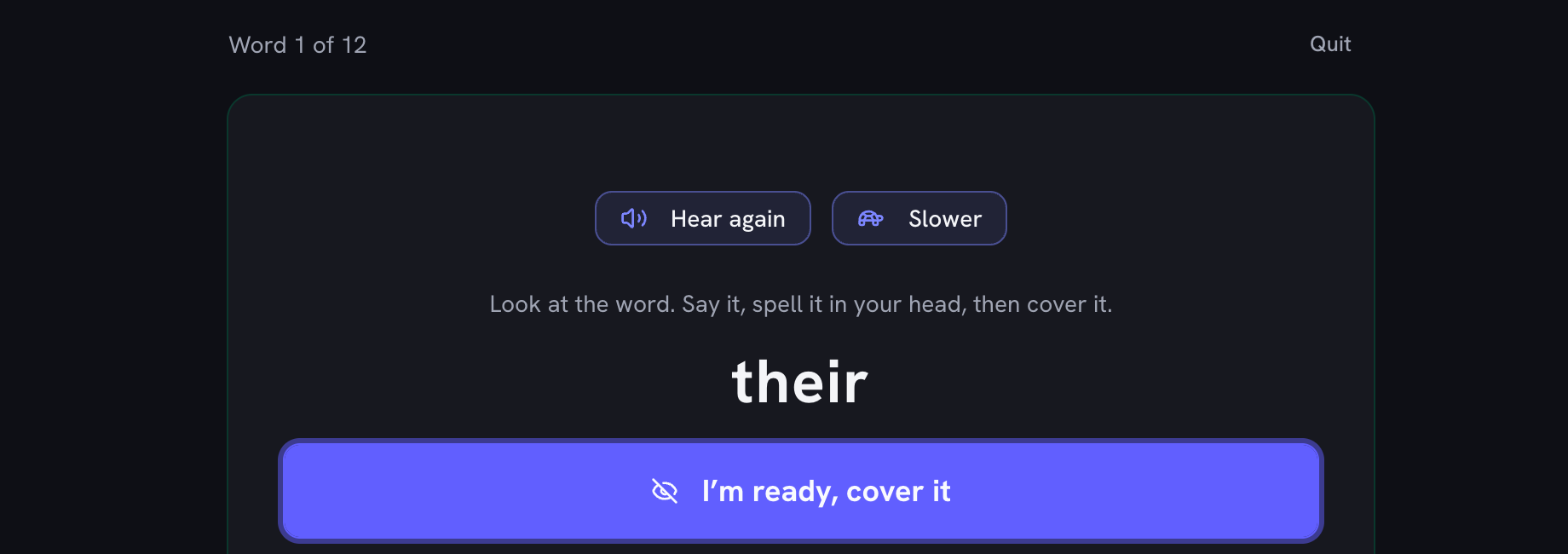
Plenty of teachers send this routine home on paper: look at the word, cover it, write it, then uncover it and check. Here the screen does the folding. The word shows and is read aloud, then it is covered, with a tap or after a short countdown, and the child writes it from memory. The check lines the attempt up against the word letter by letter, so “recieve” comes back as two swapped letters rather than a flat “wrong”. Each mistake gets a symbol as well as a colour. Words written from memory this way count toward mastery.

Words That Sound the Same

Read aloud, their, there and they’re are one sound, and so are to, too and two. No voice can tell a child which one you mean. Add a short sentence after the word with a bar between them, their | They forgot their coats., and the tool reads it the way a spelling bee pronouncer would: the word, the sentence, then the word again. The sentence is spoken only. It stays hidden until the word is answered, and the printed worksheet and results sheet show just the word.

Stars, Streaks and Mastered Words

Every finished round earns one to three stars, and a perfect round gets confetti and a short tune. Practicing on days in a row builds a streak. A word is mastered once it has been spelled right on three different days in Type it, Look, cover, write or Test, so mastery means remembering a word across the week, not getting lucky once. Missed words still collect in the tricky-words bank for a quick extra round.

Built for Parents, Teachers, and Self-Studiers

  • Parents: hand over the device and the practice runs itself. The voice does the dictating, the stars do the motivating, and the missed-words round keeps sessions short.
  • Teachers: paste this week’s list, add a sentence to the homophones, and press Copy share link. Every family who opens the link practices the same words, read with the same sentences, and their own list stays put until they choose to use yours. The words ride inside the link, so there is no class account and no list stored on a server.
  • ESL and adult learners: load the often-misspelled sample list, or drill the words your spell-checker keeps fixing for you.

Why There Is Nothing to Sign Up For

Everything happens on your device. The word list, stars and streak live in your browser’s storage, the voice comes from your operating system’s built-in speech, and the marking runs on the page. Even a share link keeps the list in the part of the address that browsers never send to a website. No server holds your child’s practice data because none of it leaves the page. Pair it with the classroom timer for timed sessions, or the classroom scoreboard to turn sibling practice into a tournament.
Sample Spelling Lists by Grade Level

These are the built-in starter lists, the same ones the sample buttons load: commonly taught words grouped by rough grade band, plus a homophones list with a sentence for every word. Use them to try the tool or for a quick round; for the real Friday test, paste this week’s actual list.

Built-in practice word lists

ListWords
Grades 1 to 2 (12 words)because, friend, little, people, school, again, always, around, thought, together, house, water
Grades 3 to 4 (12 words)beautiful, different, enough, favorite, important, neighbor, question, special, straight, surprise, weather, whether
Grades 5 to 6 (12 words)accidentally, achievement, argument, definitely, embarrass, environment, necessary, occasion, privilege, rhythm, separate, temperature
Often misspelled (10 words)accommodate, conscience, existence, maintenance, mischievous, occurrence, perseverance, questionnaire, restaurant, vacuum
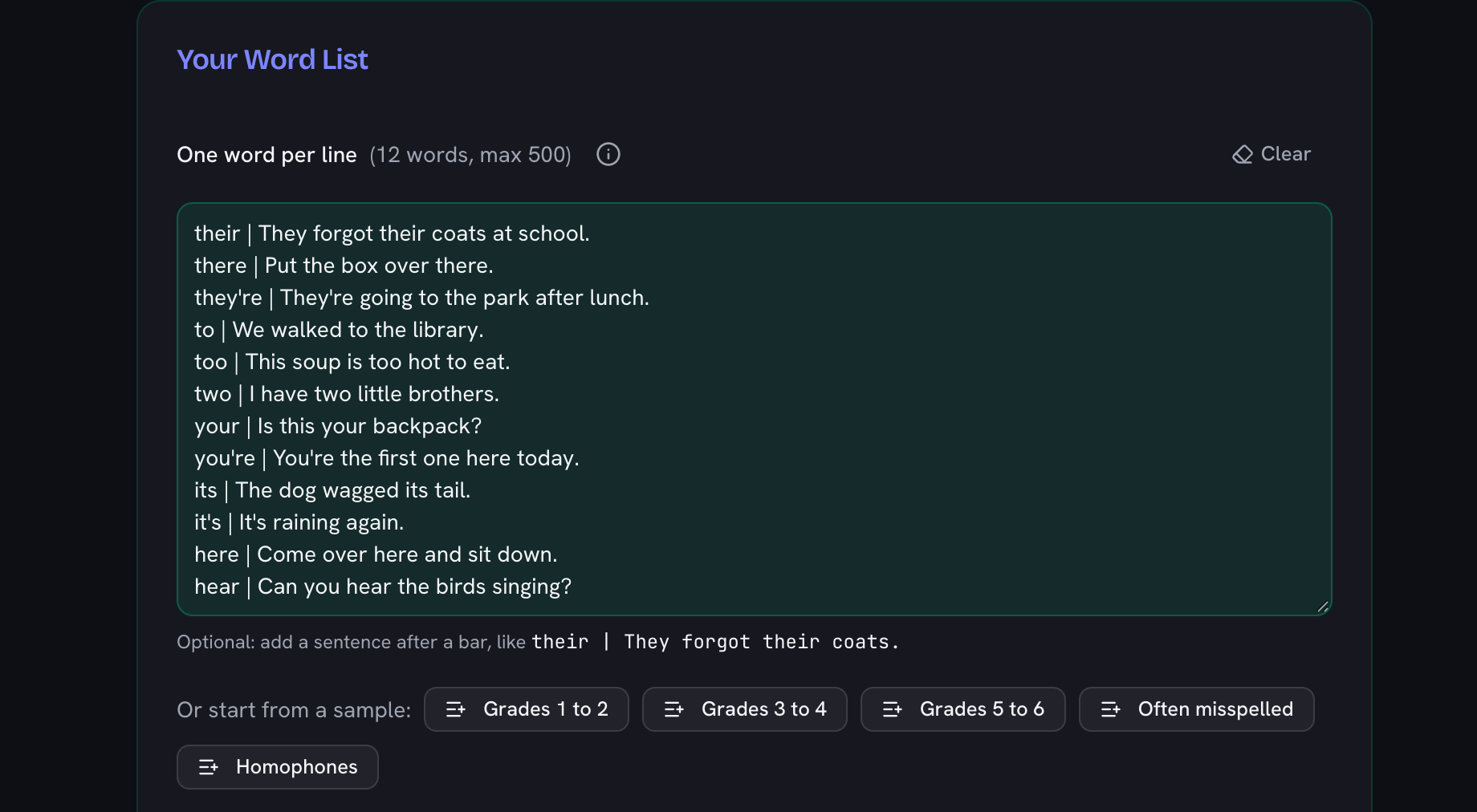
Homophones (12 words)their, there, they're, to, too, two, your, you're, its, it's, here, hear

The exact lists behind the sample buttons. One click loads any of them into the practice.

How to practice spelling words with this tool

  1. Add your word list

    Paste this week’s spelling words, one per line, or load a sample list. Got a share link from a teacher? Open it and tap Use this list. For words that sound alike, add a sentence after a bar: their | They forgot their coats.

    The word list box filled with the Homophones sample, each word followed by a bar and a sentence (their | They forgot their coats at school), above the sample list buttons
  2. Pick a mode

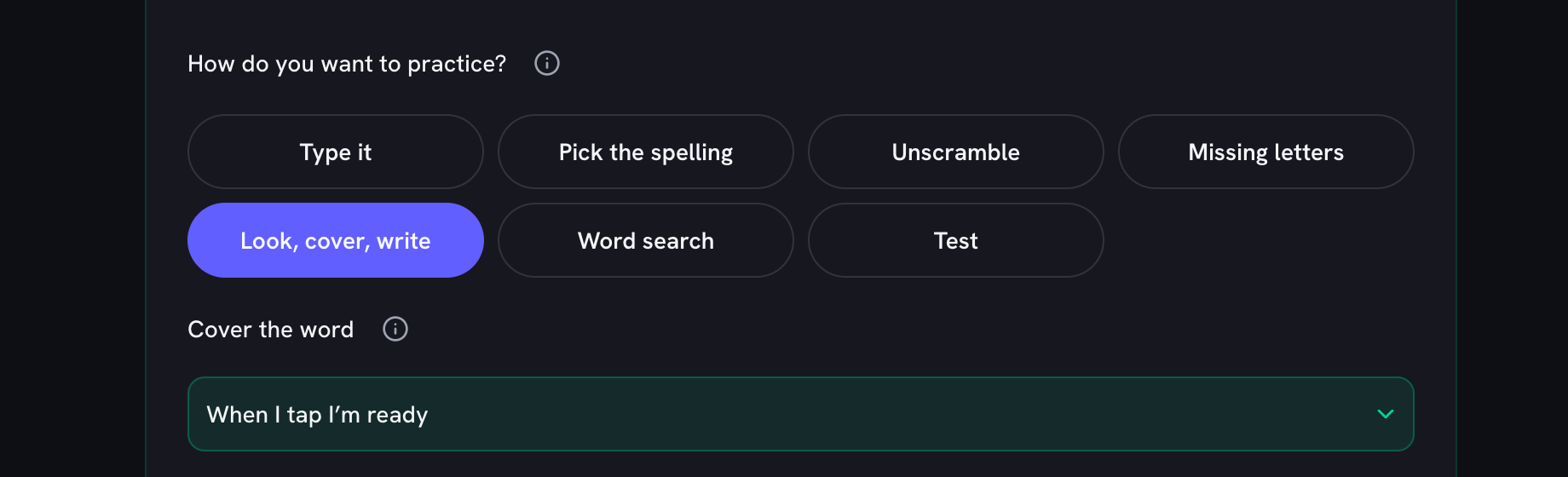
    Word search, Pick the spelling, Unscramble and Missing letters need little or no typing. Type it and Look, cover, write have you write the whole word from memory. Test keeps every mark for the end.

    The seven practice mode buttons with Look, cover, write selected, and its Cover the word setting below set to When I tap I’m ready
  3. Listen to each word

    Press Start and your device reads the first word aloud, with its sentence if you added one. Press Hear again to repeat it or Slower to hear it at a gentler pace. Word search shows its words in a list instead.

    Word 1 of 12 in Look, cover, write: the Hear again and Slower buttons above the word their, with the I’m ready, cover it button underneath
  4. Answer and check

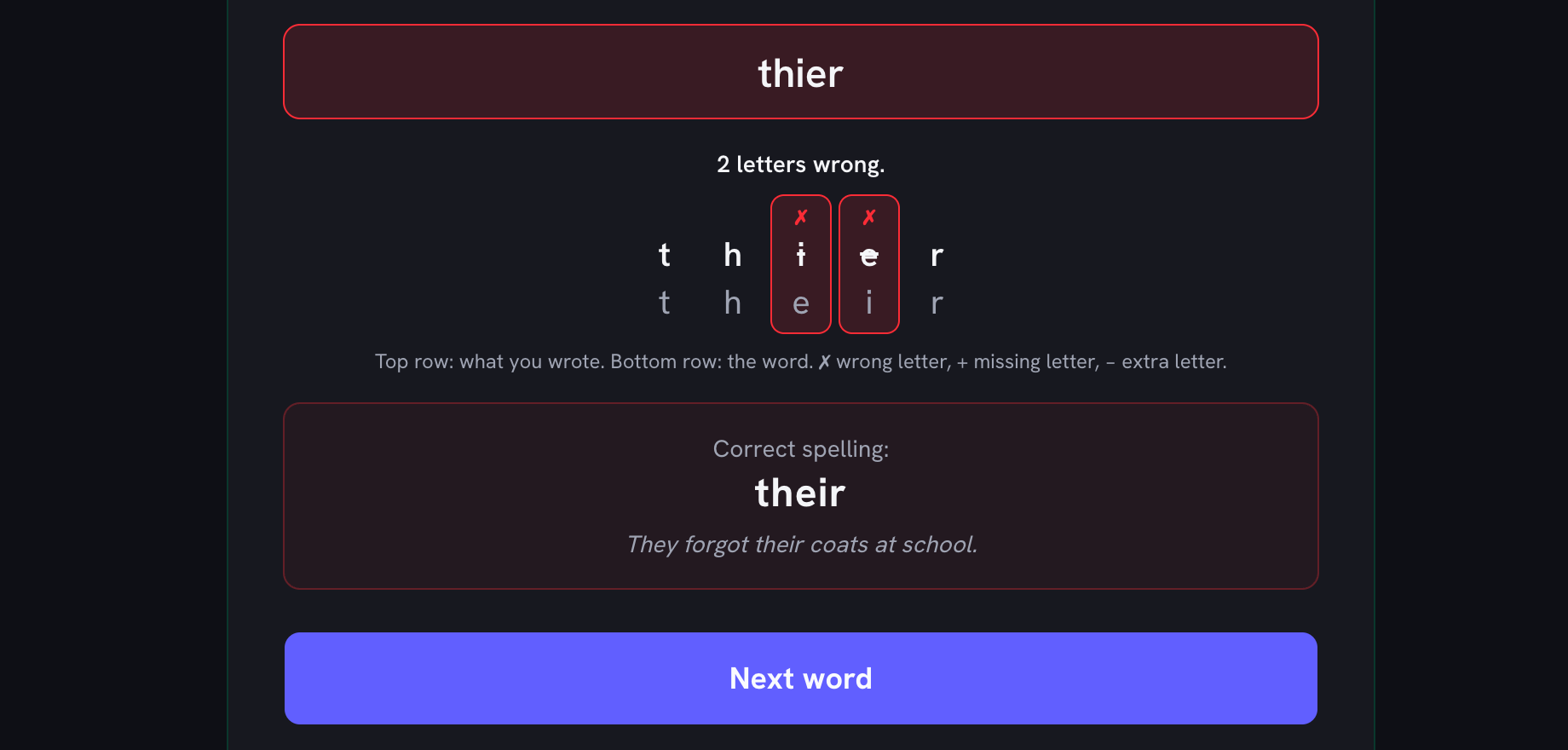
    Type, tap or pick your answer. In every mode but Test, you see right away whether it is correct. A miss shows the right spelling before the next word, and Look, cover, write marks each letter that was wrong, missing or extra.

    A missed answer, thier, checked letter by letter against their: the i and e are marked as 2 letters wrong, and the correct spelling shows with its sentence above the Next word button
  5. Review your round

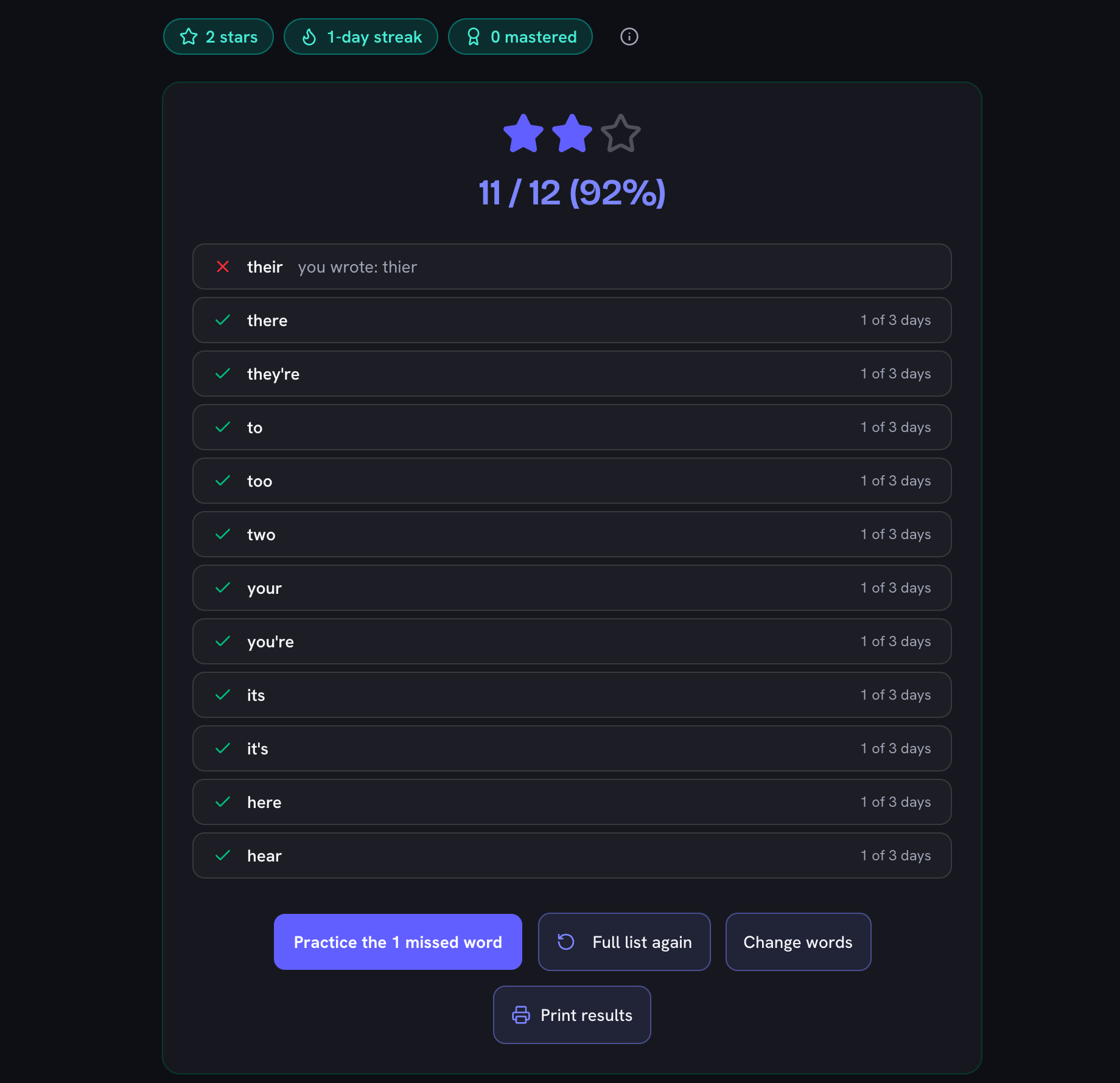
    The results show your score, the stars you earned and every word you missed. Practice just the missed words, print the results, or come back tomorrow to keep your streak going.

    Round results: 2 stars, a 1-day streak, a score of 11 / 12 (92%), their marked wrong with you wrote: thier, the other words ticked, and buttons to practice the 1 missed word or print the results

Built and maintained by Sonny Lans Updated

Frequently Asked Questions

Can I practice my own spelling words?

Yes. Paste this week’s list, one word per line (up to 500 words, short phrases work too). The list is saved in your browser, so Thursday-night practice picks up where Monday left off. Nothing is uploaded anywhere.

What are the practice modes?

There are seven. Type it reads each word aloud and checks your typing straight away, with a peek button if you get stuck (a peeked word shows in the results but does not score). Pick the spelling shows four spellings, the right one and three near-miss spellings, so younger children and phone users can practice without typing. Unscramble gives you the word’s letters as tiles to tap into order; in a phrase the spaces stay in place. Missing letters shows the word with gaps to fill in. Look, cover, write shows the word, covers it, and checks what you write letter by letter. Word search hides the list in a grid of letters. Test reads every word, saves all the marking for the end, and stays silent until then, just like the real thing.

How do I share a word list with my class?

Paste the list, add sentences where you want them, and press Copy share link. Put the link in a newsletter, on a class page or in a message. The words and sentences travel inside the link itself, after the # sign. Browsers never send that part to a website, so the list is not stored anywhere and the link carries nothing but the words. Whoever opens it sees the list and chooses: Use this list puts it in their list box, Save as keeps it as a named list, and No thanks leaves their own words alone. Nothing is replaced until they pick. A weekly list fits easily, sentences included. Links stop at 2,000 characters, so lists of more than about 300 words (fewer with sentences) are too long, and the tool tells you to split them.

How does Look, Cover, Write, Check work on screen?

It is the classroom routine with the paper folded for you. The word shows and is read aloud. When you are ready, tap I’m ready to cover it, or set a countdown of 3, 5 or 10 seconds to cover it for you. Write the word from memory. The check then lines your attempt up against the word letter by letter and marks each letter that was wrong, missing or extra. Look again clears what you wrote and shows the word once more, so the word is never on screen while you write. Because the word comes from memory, a right answer here counts toward mastery, the same as in Type it.

How do Missing letters and Word search work?

Missing letters shows the word with some letters blanked out, like r _ c _ _ v e. Type the missing letters in order and they drop into the gaps. More as you go starts with about one letter in five missing and ends the round with about half; you can also pick a fixed amount. Spaces, apostrophes and hyphens always stay in place, and every word keeps at least one letter showing. Word search hides up to 20 words from your list in a grid. Tap the first letter of a word and then its last letter, or drag between them; on a keyboard, the arrow keys move and Enter picks a letter. Across and down suits younger children, and you can add diagonals, then backwards words. Phrases, one-letter words, words with digits or symbols, and words longer than 14 letters are left out of the grid. On a phone the grid is smaller so the letters stay big enough to tap, which means it fits shorter words than the printed one: a word too long for the phone grid is listed under it, and the printed puzzle includes it. Show the rest reveals any words you could not find, and Print this puzzle gives you a paper copy with the word list.

How do I practice words that sound the same, like their and there?

Add a sentence after the word with a bar between them, for example: their | They forgot their coats. The voice then reads the word, the sentence, and the word again, the way a spelling bee pronouncer does. The sentence is only spoken. It never appears on screen before you answer, and the printed worksheet and results show only the word. The Homophones sample list shows how it works.

Can I make my own spelling test?

Yes. Type or paste any words (up to 500) and they become an audio dictation test: the browser reads each word aloud, the student types it, and the score arrives at the end. Your list is the test, so there is no template to fill in. Print results turns any round into a one-page marked sheet for records.

Does it read the words out loud?

Yes. It uses the speech voices built into your device, so there are no recordings or downloads and it works offline once the page is open. Pick a voice you like, replay any word, or hear it slower. If the voice sounds robotic, most phones and laptops can add a clearer natural voice for free in their speech or accessibility settings, and it then shows up in the voice list.

How do stars, streaks and mastered words work?

Every finished round earns 1 star, 2 stars at 80% or more, and 3 stars for a perfect round, which also sets off confetti. The streak counts the days in a row with at least one finished round, so a round every evening keeps it growing. A word counts as mastered once it is spelled right on three different days in Type it, Look, cover, write or Test. Picking, unscrambling, filling in missing letters and word searches earn stars but not mastery, because writing the whole word from memory is the real skill. Words revealed with Show the rest in a word search earn nothing. Turn off the Sounds switch for silent practice; the confetti also stays off on devices set to reduce motion.

Does it remember the words my child keeps getting wrong?

Yes. Every word missed in any mode joins a tricky-words bank, and Practice my tricky words drills exactly those. A word leaves the bank the next time it is spelled right in Type it, Look, cover, write or Test (the Friday test counts), so the bank always shows what still needs work. It lives in your browser and nothing is uploaded.

What is the best way to practice for a spelling test?

Short daily sessions beat one long cram. Start the week with a word search or Pick the spelling to get to know the words. Midweek, move on to Missing letters and Look, cover, write, then Type it. Run Test on Thursday for a dictation round with the score at the end, the same format as the classroom test on Friday.

Is it really free? Do I need an account?

It is free, with no account, no trial and no locked features. The tool runs entirely in your browser, and your word lists, stars and results never leave your device.

Can I print a worksheet or keep the test results?

Yes. Print worksheet gives one row per word: look at it, copy it twice, then fold the word column back and write it from memory, no computer needed. In Word search mode you can also print a word search made from your list. Print results on the score screen gives a one-page sheet with the score and every word marked right or wrong, with what was actually written. When you run a saved list, its latest score and the date are remembered next to the list.

What ages does this work for?

Word search, Pick the spelling and Unscramble need no typing, so they suit early readers on a tablet or phone, and Missing letters needs only a few letters typed. Type it, Look, cover, write and Test suit any age that can type. The sample lists run from grade 1 to often-misspelled adult words, and marking ignores capitals and apostrophe style: it tests spelling, not punctuation.

Can I use it to prepare for a spelling bee?

Yes. Paste your bee word list (up to 500 words) and add a sentence to any word that needs one. The tool reads word, sentence, word, just like a pronouncer, so you rehearse hearing and then spelling under real conditions. Missed words drop into your tricky-words bank, and Test mode gives a no-hints run the night before.

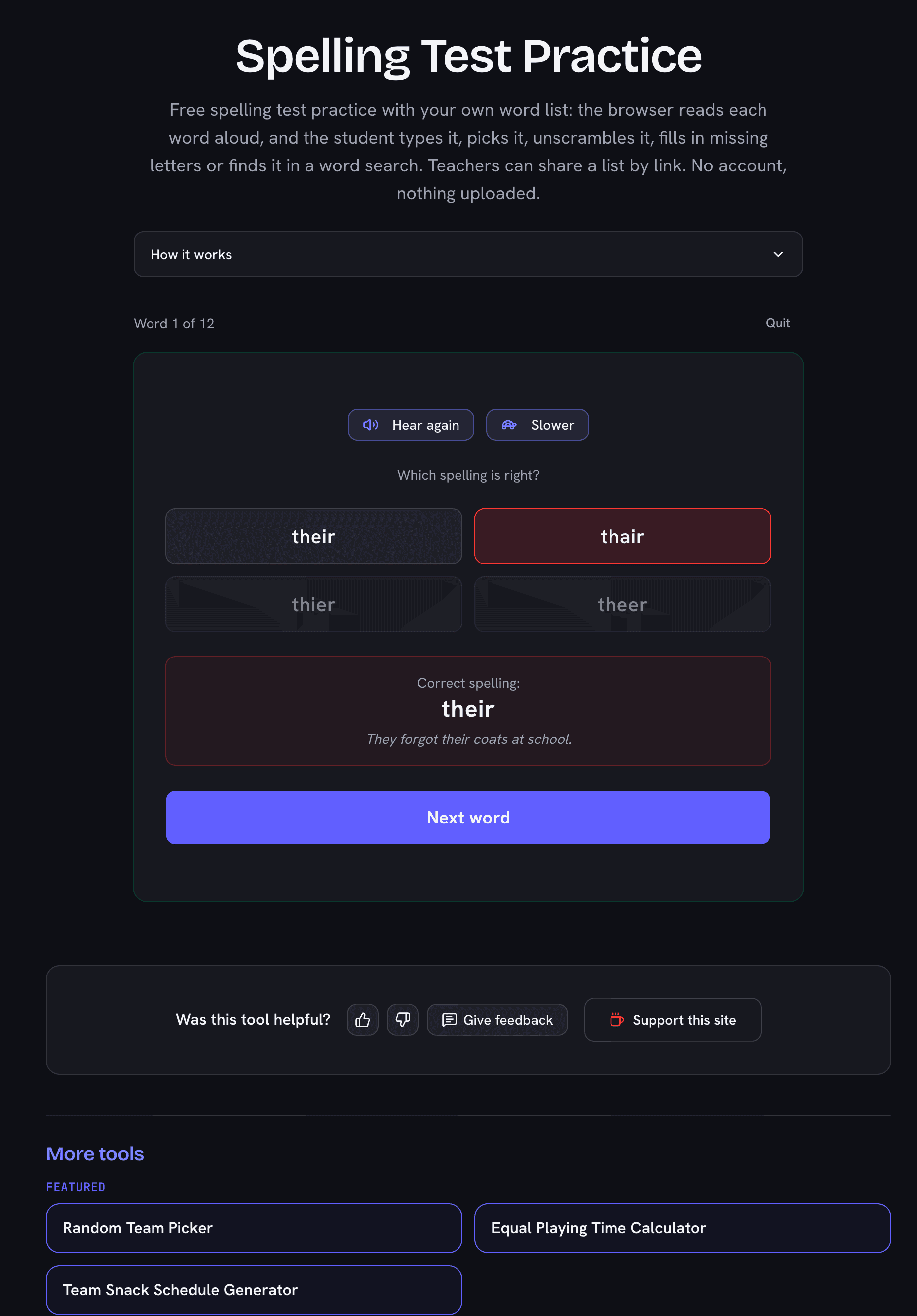
Spelling Test Practice with a Pick the spelling question answered wrong: word 1 of 12, a misspelling of their marked red, and the correction box showing their with the sentence They forgot their coats at school, above a Next word button
The browser reads each word aloud. Type it, pick it, unscramble it or find it in a word search, then practice just the misses.