What is the Classroom Timer?
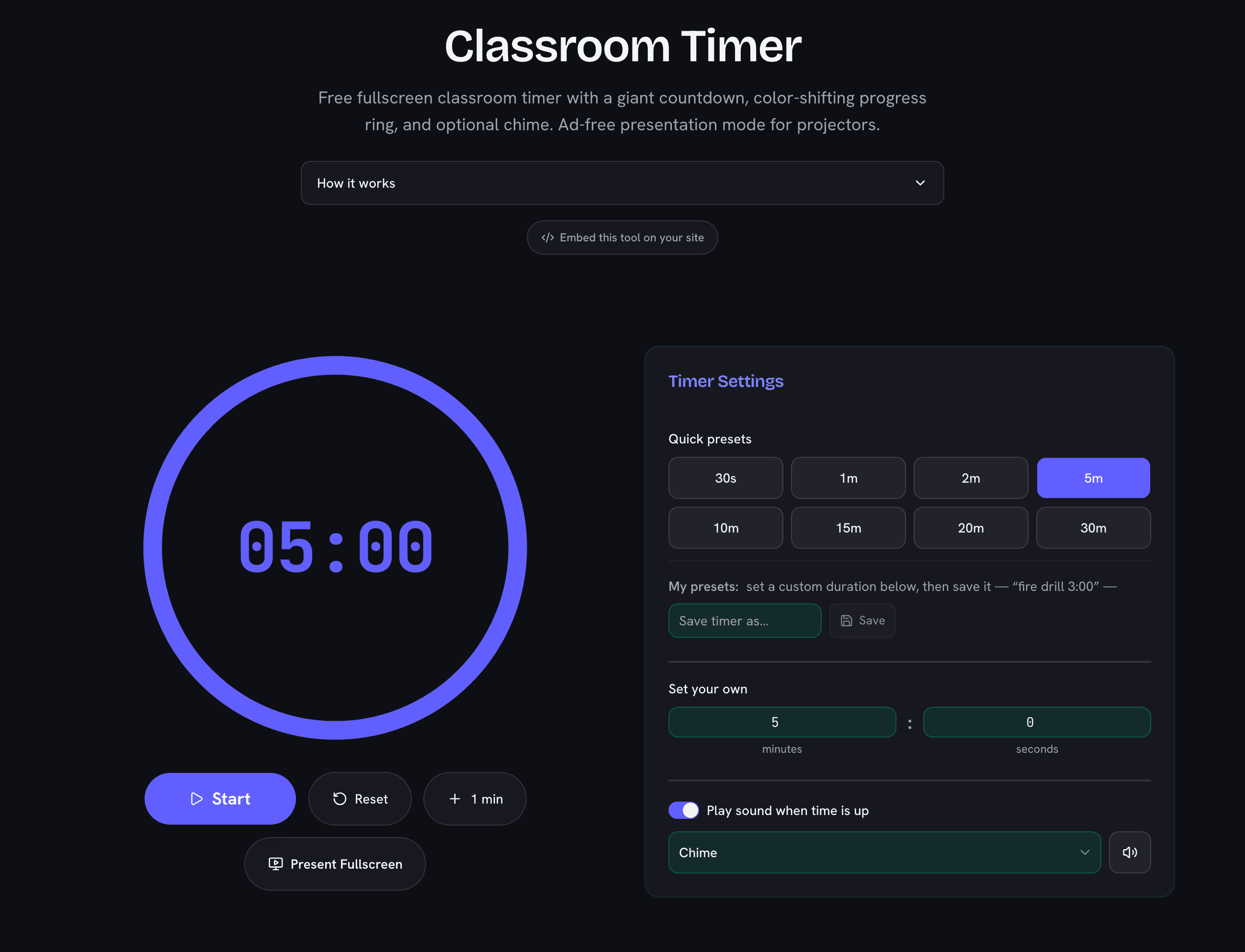
The Classroom Timer is a free online countdown built for teachers who need a big, clear timer the whole room can read. Pick a preset (30 seconds to 30 minutes) or set any custom duration, press Start, and a large digital clock counts down inside a colored progress ring. The ring drains as time passes and shifts from blue to amber to red as the deadline approaches, so students can feel the remaining time at a glance — even from the back row.
When the countdown hits zero, the display flashes Time’s up! and plays a short, gentle chime (which you can switch off for silent classrooms). Your preferred duration and sound setting are remembered in your browser for next time.
Fullscreen Timer with No Ads
Most online timers surround the countdown with banners — exactly what you don’t want on a projector. Click Present Fullscreen and this timer switches to a dedicated ad-free fullscreen mode: a huge countdown and progress ring on a clean background, ideal for interactive whiteboards, projectors, and shared screens on video calls.
How to Use It
- Set the time — tap a preset like 5m or 10m, or type a custom minutes-and-seconds duration.
- Start — the ring begins draining and the tab title shows the countdown too, so you can switch tabs without losing track.
- Adjust on the fly — need a bit longer? Hit +1 min at any time, even while running.
- Pause or reset whenever the activity changes.
What This Timer Gets Used For
- Timed writing and quizzes — a visible countdown reduces “how long do we have left?” interruptions.
- Station rotations and group work — the color shift gives groups a natural warning to wrap up; for literal centers, the station rotation timer cycles every group automatically.
- Brain breaks and cleanup sprints — short 1–2 minute countdowns turn transitions into a game.
- Presentations and debates — keep speaker turns fair with the same clock for everyone.
Those are the four this timer is set up for. If you want the activities themselves — the rules, the minutes to put on the clock and which tool runs each one — 15 classroom timer activities that work on a projector writes them up one by one.
Why a Visual Timer Helps
Research on classroom management consistently shows that visible time cues help students self-regulate: when learners can see time remaining, transitions get faster and time-on-task improves. A shrinking progress ring communicates remaining time even to young students who can’t yet read a clock fluently — the same idea behind popular physical “pie” timers, without buying hardware for every room.