What is the JSON Formatter & Validator?
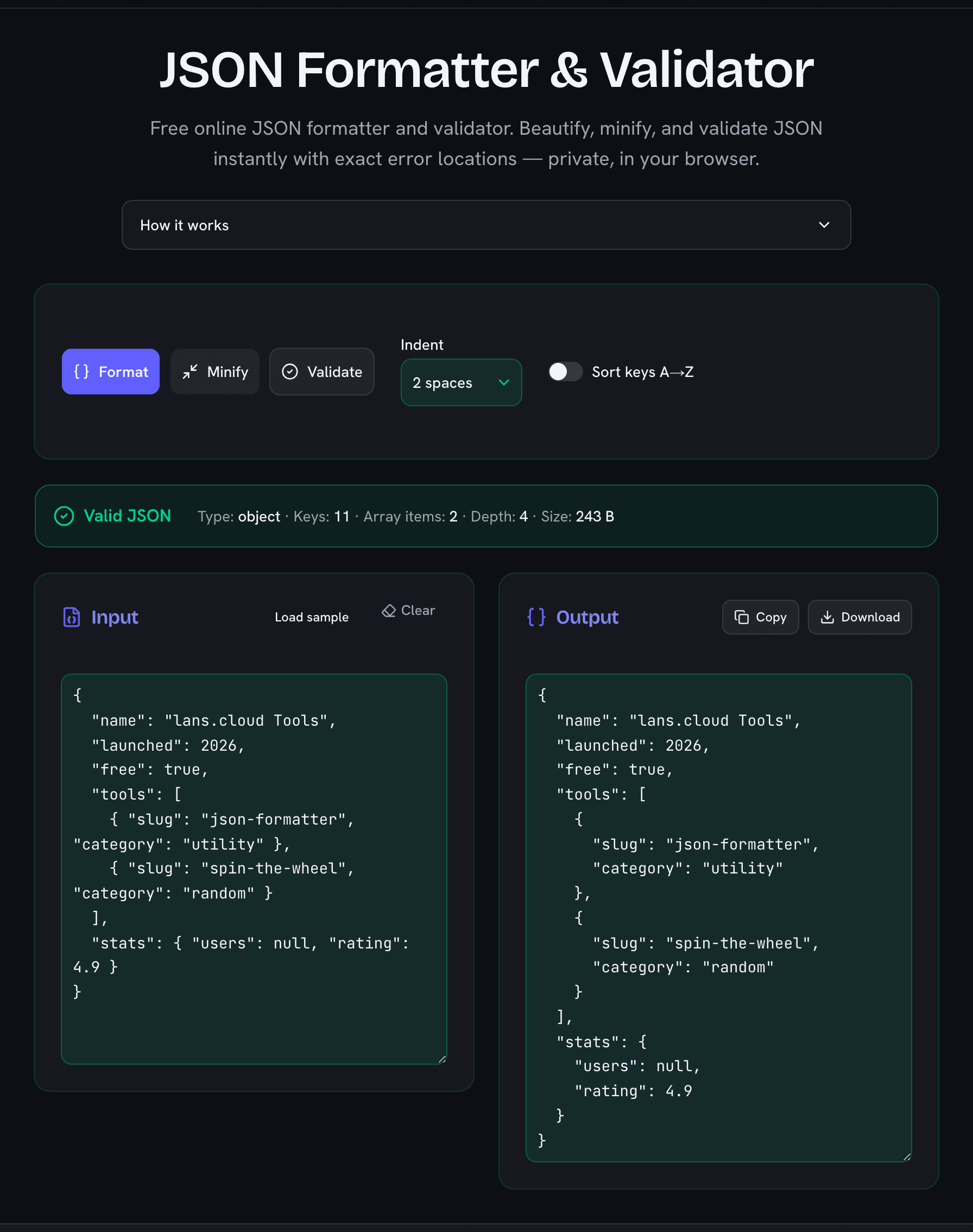
This free JSON formatter and validator lets you beautify, minify, and check any JSON document in seconds. Paste your JSON, click Format, and you get cleanly indented, readable output. Click Validate and the tool tells you instantly whether your document is valid — and if it is not, it pinpoints the exact line and column of the first error and shows the offending line with a caret marker, so you can fix it without hunting through a wall of text.
Everything runs entirely in your browser. Your JSON is never uploaded to a server, never logged, and never stored anywhere except your own device — which makes this tool safe to use even with API responses, configuration files, or data exports you would not want to paste into a random website. If you close the tab, your input is remembered locally so you can pick up where you left off.
How to Format JSON Online
- Paste your JSON into the input box (or click Load sample to try it out).
- Choose your indentation — 2 spaces, 4 spaces, or tabs.
- Click Format to pretty-print, Minify to strip all whitespace, or Validate to check syntax without changing anything.
- Copy or download the result with one click.
The optional Sort keys A→Z switch alphabetizes every object key recursively. Sorted keys make it far easier to compare two JSON documents side by side or produce stable diffs in code review.
Common JSON Errors This Tool Catches
- Trailing commas — a comma after the last item of an object or array is invalid JSON, even though most programming languages allow it.
- Single quotes — JSON strings and keys must use double quotes.
- Unquoted keys — bare keys work in JavaScript object literals, but not in JSON.
- Missing brackets or braces — often introduced when hand-editing configuration files.
- Comments — JSON does not support line or block comments.
Format, Minify, or Validate — Which Do You Need?
Format (beautify) is what you want when reading or debugging: API responses, log payloads, and config files become readable with consistent indentation. Minify does the opposite — it removes every unnecessary space and newline, producing the smallest possible payload for production APIs, embedded strings, or environment variables. Validate leaves your text untouched and simply reports whether it parses, along with useful statistics: the top-level type, the total number of keys and array items, the maximum nesting depth, and the document size.
Why Use This JSON Beautifier?
- Private by design: 100% client-side processing — your data never leaves your machine.
- Precise errors: exact line and column with a visual caret, not just “invalid JSON”.
- Fast: no upload round-trip; even large documents format instantly.
- Free and unlimited: no sign-up, no rate limits, works on phones and tablets.