lans.cloud

Password Generator

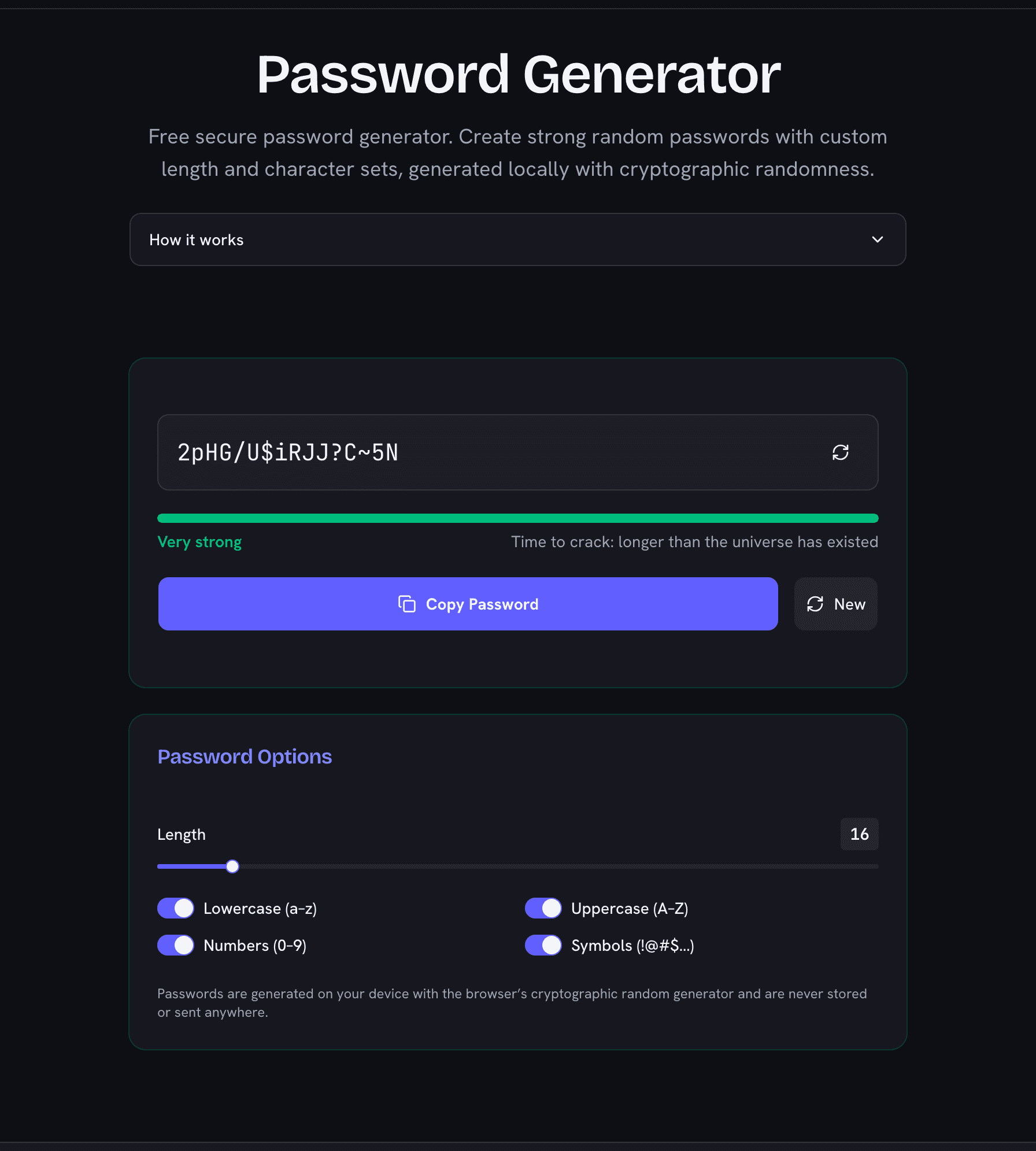
Free secure password generator. Create strong random passwords with custom length and character sets, generated locally with cryptographic randomness.

What Makes This Password Generator Secure?

Every password comes from your browser's cryptographic random number generator (crypto.getRandomValues) — the same source of randomness that password managers and encryption libraries rely on. The generator uses rejection sampling so every character in the pool is exactly equally likely, with none of the subtle bias that naive implementations introduce.

Just as important: generation happens entirely on your device. The password is never sent to a server, never logged, and never stored — it exists only on your screen and, when you press Copy, in your clipboard.

How to Create a Strong Password

  1. Choose a length— 16 characters is a strong default; go longer for email, banking, and your password manager's master password.
  2. Keep all character sets on when the site allows it: lowercase, uppercase, numbers, and symbols maximize the pool an attacker must search.
  3. Generate and copy— the strength meter shows the entropy of your settings in bits; aim for "Strong" or better.
  4. Store it in a password manager — a unique random password per account is the single biggest upgrade to your personal security.

Why Random Beats Memorable

Human-invented passwords follow patterns — dictionary words, birthdays, keyboard walks, predictable substitutions like "a" → "@" — and cracking software tries exactly those patterns first, testing billions of candidates per second against leaked password databases. A uniformly random 16-character password has no pattern to exploit: an attacker's only option is brute force across the entire space, which at ~100 bits of entropy is computationally out of reach.

Password Hygiene Beyond Generation

  • Never reuse passwords — one breached site should never unlock another.
  • Turn on two-factor authentication wherever it is offered; it protects you even if a password leaks.
  • Change passwords after a breach notification, not on an arbitrary schedule — forced rotation tends to produce weaker, patterned passwords.
  • Watch out for phishing — the strongest password in the world does not help if it is typed into a fake login page.

How Strong Is a Password of Each Length?

Entropy grows linearly with length, but the attacker's work doubles with every added bit — so each extra character multiplies cracking time by ~94. With all four character sets enabled:
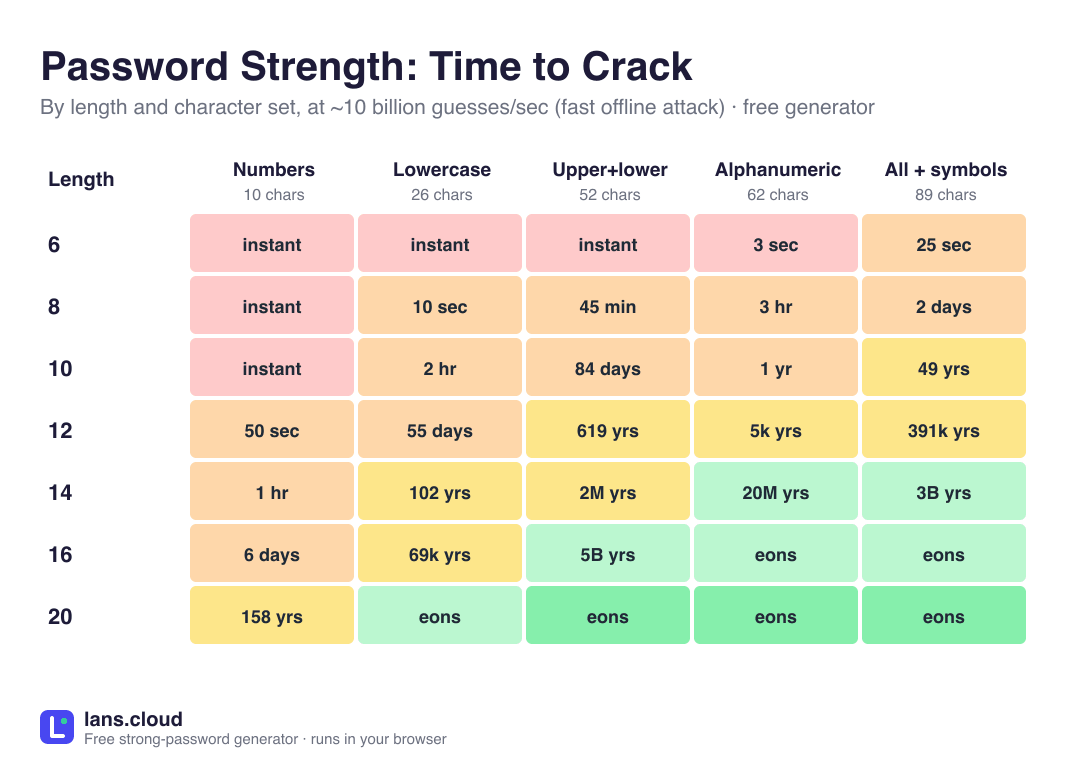
Password strength by length (all character sets)

LengthEntropyRatingPractical meaning
8 characters~52 bitsFairFine for low-value accounts only
10 characters~65 bitsStrongSolid for everyday accounts
12 characters~78 bitsStrongSolid for everyday accounts
14 characters~91 bitsVery strongBeyond practical brute force
16 characters~104 bitsVery strongBeyond practical brute force
20 characters~130 bitsVery strongBeyond practical brute force
24 characters~155 bitsVery strongBeyond practical brute force
32 characters~207 bitsVery strongBeyond practical brute force

Entropy computed by this generator's own estimator (length × log₂ of the 89-character pool). Ratings match the strength meter above.

Frequently Asked Questions

Is it safe to use an online password generator?

This one runs entirely on your device: passwords are produced by your browser’s built-in cryptographic random generator (the same API password managers use) and are never transmitted, logged, or stored. You can even load the page, disconnect from the internet, and generate offline.

How long should my password be?

Sixteen characters with all character sets enabled is a strong default (~100 bits of entropy). Use more for high-value accounts — length increases strength faster than adding symbols does.

What does the entropy number mean?

Entropy measures how many guesses an attacker would need: each extra bit doubles the search space. Around 45 bits is weak, 65 is fair, 90+ is very strong — far beyond what offline cracking rigs can brute-force.

Does every password include all the character types I selected?

Yes. The generator guarantees at least one character from each selected set (many sites require it), fills the rest uniformly from the combined pool, and shuffles the result so positions stay unpredictable.

How strong is a 12 character password?

With all four character sets, a random 12-character password carries about 78 bits of entropy — rated Strong by this generator and safely beyond online guessing attacks. For high-value accounts, 16 characters (~104 bits) puts you beyond practical offline cracking too; the strength-by-length table below the article shows the full ladder.

Should I reuse a strong password on multiple sites?

No. Even a very strong password becomes dangerous once one site leaks it. Generate a unique password per account and keep them in a password manager — the generator makes a fresh one every time you click.

Password generator showing a very strong 16-character password with 104 bits of entropy
A 16-character password at ~104 bits of entropy — generated on your device, never sent anywhere.